


Someone typed "Hello Claude" and used 13% of their session limit.
That's a real Reddit post from a real person who opened Claude, sent a greeting, and watched more than one-eighth of their usage disappear before asking a single question.
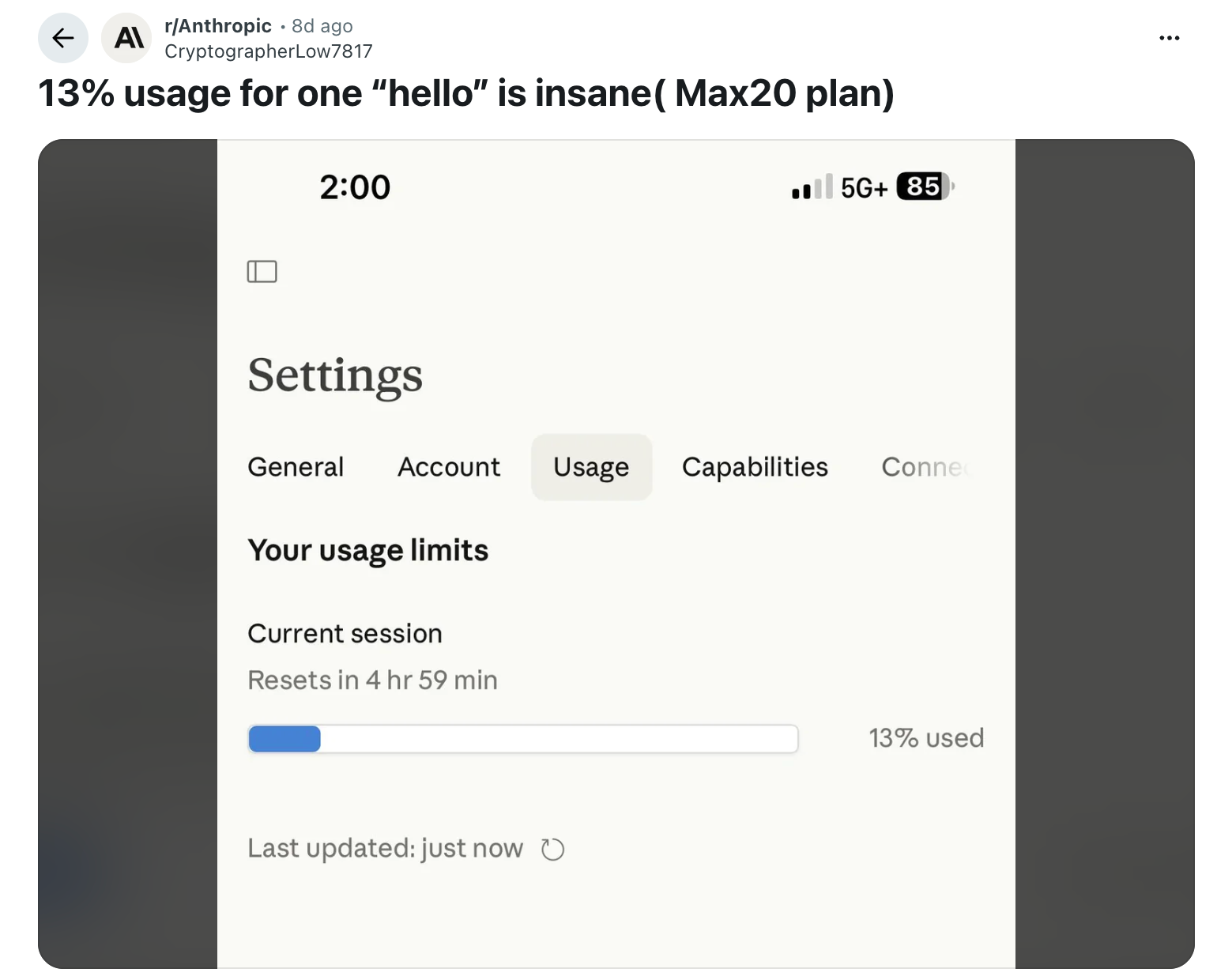
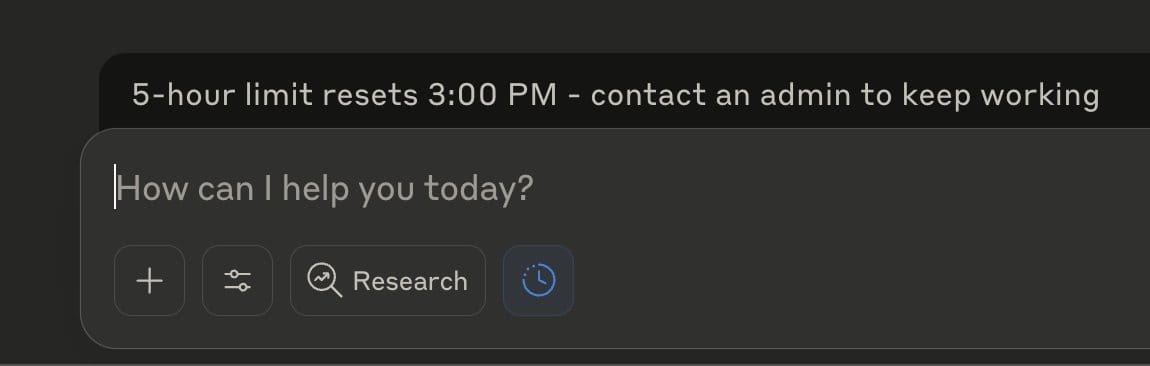
A separate user on X reported ending up in a "four-hour cooldown jail" from the same trigger. The thing is, nobody had a good explanation for why it happened.
The answer is tokens. Most people using LLMs today have no framework for understanding what a token is, why it costs what it costs, or where their usage goes before they've done anything useful. Every major LLM – Claude, GPT-5, Gemini, Grok, Llama etc. runs on the same underlying economics. Tokens are the currency of this entire industry.
If you use any of them regularly, understanding how tokens work is the difference between getting real work done and hitting your limit at 11am.
Let’s decode.
What a Token Actually Is
Think of a token as a chunk of text somewhere between a syllable and a word in size.
Let’s just say "Fantastic" is one token. "I am" is two tokens. "Unbelievable" might be three tokens depending on the model, because some models break unfamiliar or long words into subword pieces. The OpenAI tokenizer playground (platform.openai.com/tokenizer) lets you paste any text and see exactly how it gets chopped up in colored blocks. Worth trying once just to calibrate your intuition.
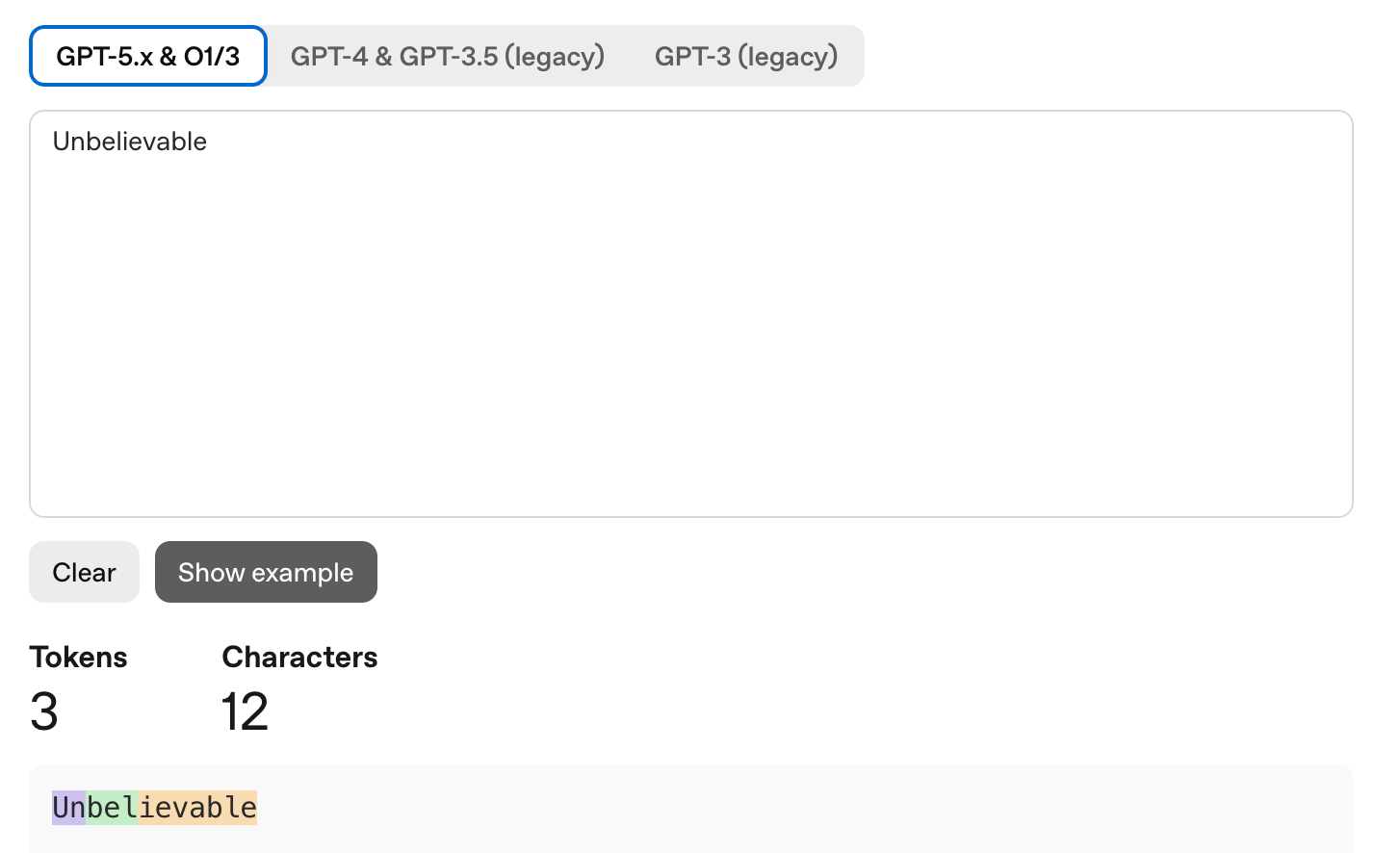
The rough conversion for English: 1,000 tokens ≈ 750 words ≈ 2-3 pages of text. One token averages about 4 characters or 0.7 words. A standard 800 word blog post is roughly 1,000-1,100 tokens.
These numbers only hold for English. Code tokenization is worse: 1.5 to 2.0 tokens per word, because programming syntax has a lot of characters that don't map cleanly onto natural language tokens. Chinese, Japanese, and Korean are worse still, consuming 2 to 8 times more tokens than English for equivalent content. If you write a lot of code or work in a non English language, your consumption is meaningfully higher than the back-of-envelope math suggests.
Different models use different tokenizers, so the same text doesn't cost the same tokens everywhere. 1,000 tokens on GPT-5 (which uses the o200k_base tokenizer) might be 1,200 tokens on Claude or 900 tokens on Gemini. Comparing usage across platforms requires using each model's specific tokenizer for accurate counts.
The Context Window
Tokens are important for two distinct reasons. The first is your usage limit: how much you can do before hitting a wall. The second is the context window: how much the model can hold in memory at once.
Every model has a context window measured in tokens. Claude Sonnet 4.6 supports 1 million tokens. GPT-5 has 400K. Gemini 3 Pro has 2 million. Llama 4 Scout has 10 million. These numbers are impressive but misleading.
Larger context windows don't automatically mean better performance. Research consistently shows models degrade in quality before reaching their stated limits. A 2024 study from researchers Levy, Jacoby, and Goldberg found that LLM reasoning performance starts degrading around 3,000 tokens, well before any model's technical maximum. A 2025 study from Chroma tested 18 models including GPT-4.1, Claude 4, and Gemini 2.5 and documented what they called "context rot": a progressive decay in accuracy as prompts grow longer, even on simple string-repetition tasks. Every model showed that more context is not always better.
The context window is also shared by everything, not just your message and the model's reply. System instructions, tool calls, every previous turn in the conversation, uploaded files, and internal reasoning steps all eat from the same pool.
The Six Silent Token Drains
The majority assume token usage looks like: I type something, the model responds, that's one exchange. But in reality, it’s not linear and predictable.
1. Conversation History Compounds Fast
Every message you send in a multi-turn conversation carries the entire prior conversation as context. Turn 1 costs 2 units: you send 1, the model sends 1 back. Turn 2 costs 4 total because your second message includes the first exchange. Turn 3 costs 6. By turn 10, you might have spent 110 units cumulatively. Those same ten tasks as ten separate one-turn conversations would cost 20 units total. Same output but five and a half times less expensive.
People who treat a conversation like a running document, adding to the same thread for hours because it feels organized, are doing the most token-expensive thing possible.
A concrete example: you're using Claude to debug a software project. You paste 2,000 tokens of code, ask a question, get an answer, ask a follow-up, and so on. By the fourth exchange, the model is processing roughly 12,000 tokens to answer a question that, in isolation, would cost 500. The accumulated history is doing most of the spending.
2. Extended Thinking Generates Tokens You Never See
Most major LLMs now have a reasoning mode. OpenAI calls it o-series. Google calls it Thinking Mode. Anthropic calls it Extended Thinking. When enabled, the model works through the problem internally before responding.
That internal reasoning generates tokens. Reasoning tokens can amount to 10 to 30 times more than the visible output. A response that looks like 200 words to you might have cost 3,000 reasoning tokens behind it.
Claude's Extended Thinking is now adaptive, meaning the model decides whether a task needs deep reasoning or a quick answer. At the default effort level, it almost always thinks. So when you ask Claude to fix a typo, reformat a list, or look up a basic fact, it's still burning thinking tokens on a problem that doesn't require them. Toggling Extended Thinking off for simple tasks reduces costs with no quality tradeoff.
The same issue applies to OpenAI's reasoning models. GPT-5 routes requests to different underlying models depending on what your prompt signals. Phrases like "think hard about this" trigger a heavier reasoning model even when you don't need one. OpenAI's own documentation warns against adding "think step by step" to prompts sent to reasoning models, since the model is already doing it internally.
3. System Prompts Run on Every Request
Any AI product built on a foundation model, including custom GPTs, Claude Projects with custom instructions, or enterprise deployments, prepends a system prompt to every message you send.
A typical system prompt runs 500 to 3,500 tokens. Every time you send anything, those tokens run first. A company operating an internal chatbot with a 3,000-token system prompt handling 10,000 messages per day spends 30 million tokens on instructions alone, before any user has asked anything meaningful.
At the individual level: a Claude Project with extensive custom instructions reruns those instructions every time you open the project. Keeping project knowledge tight is directly cheaper, not just neater.
4. The "Hello" Problem
Back to the Reddit post. How does "hello" consume 13% of a session?
Actually before processing your word “hello”, it loads the system prompt, project knowledge, conversation history from earlier in the session, and enabled tools. In Claude Code specifically, it loads CLAUDE.md files, MCP server definitions, and session state from the working directory. All of that is billed as input tokens on every exchange, including the first one.

If your Claude Code environment has a complex CLAUDE.md, several MCP servers enabled, and a large project directory, your baseline token cost per message before you've typed anything might already be several thousand tokens. And "Hello" in that environment costs one word plus all the infrastructure the model needs to load before it can respond.
5. Uploaded Files Sit on the Meter Continuously
Uploading a 50-page PDF to a Claude Project means that document is held in context even when you're not actively asking questions about it. It consumes tokens every session because the model needs awareness of it to reference it when needed.
Token consumption in any chat comes from uploaded files, project knowledge files, custom instructions, message history, system prompts, and enabled tools, on every exchange. If you upload five large documents you ended up not referencing, you're still paying for them.
Keep project knowledge matched to what you're actually working on. Treat it like RAM, not a filing cabinet.
6. Agentic Tool Calls Explode the Count
If you use AI agents, Claude with tools, ChatGPT with Actions, or any autonomous workflow where the model calls external APIs or searches the web: every tool call appends its full result to the context. A web search returns roughly 2,000 tokens of results. Run 20 tool calls in a single session and you've consumed around 40,000 tokens in tool responses alone, before factoring in the growing conversation history stacking on top.
Claude Code agents performing 10 reasoning steps across a large codebase can process 50,000 to 100,000 tokens per task. For a team of engineers each running multiple agent sessions per day, this becomes the primary cost driver.
How to Preserve Your Token Budget
Start a New Conversation for Every New Task
Given the compounding math above, keeping one long conversation open across multiple unrelated tasks is the most expensive way to use an LLM. A 10-turn conversation spanning five topics costs more than five 2-turn conversations covering the same ground.
The instinct to keep everything in one thread feels organized. But resist it. So follow: new task, new conversation.
Match the Model to the Work
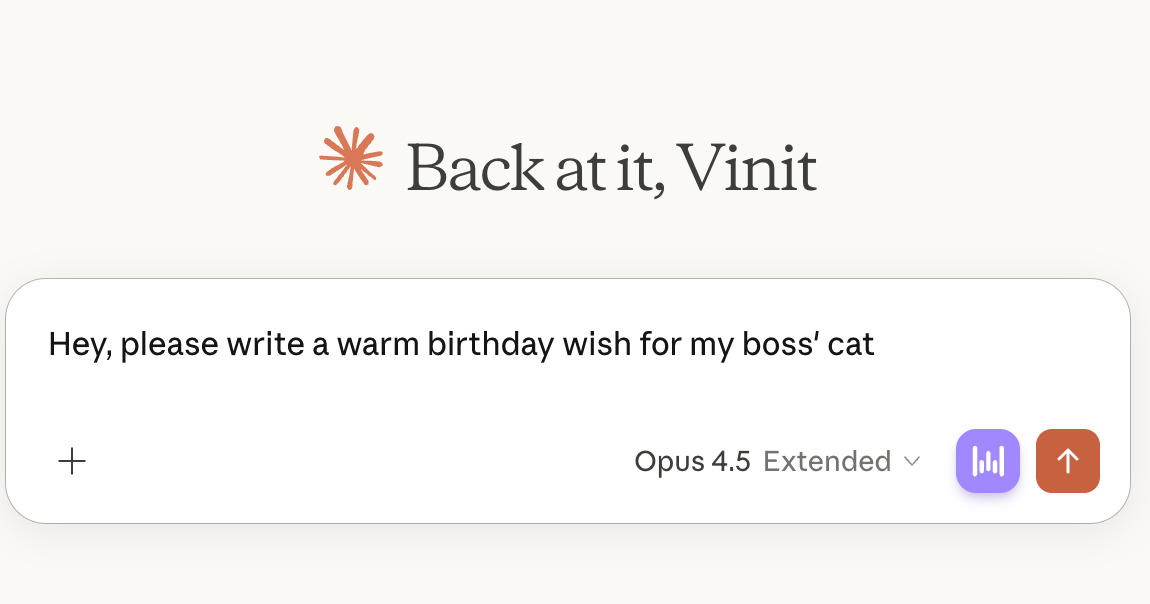
Frontier models, Claude Opus, GPT-5, and Gemini 3 Pro, are more expensive than their smaller siblings, and for most tasks the quality difference is negligible. Claude Sonnet handles complex coding, detailed analysis, long-form writing, and research synthesis without meaningful quality loss versus Opus. The difference shows up only on seriously complex multi-step reasoning, which represents a fraction of actual daily usage.
Default to the mid-tier model (Sonnet, GPT-4o, Gemini Flash Pro). Use the flagship when the task genuinely demands it. Avoid this:
Turn Off Extended Thinking for Simple Tasks
For Claude: toggle Extended Thinking off under "Search and tools" when doing quick edits, brainstorming, factual lookups, or reformatting. Response quality on those tasks won't change. Token cost drops substantially.
For GPT: use standard GPT-4o rather than o-series models for anything that doesn't require deep multi-step reasoning. The o-series is purpose-built for hard reasoning problems and wasteful for everything else.
Write Shorter Prompts
The research says short prompts generally work better than long ones, and they're cheaper. The practical sweet spot for most tasks is 150-300 words. That's specific enough to give the model real direction without stuffing it with context it doesn't need.
Write the shortest version of your prompt that describes your intent. Test it. Add only what's actually missing in the output.
For example, instead of: "I'm working on a marketing campaign for a B2B SaaS product that helps finance teams automate their accounts payable workflows. I'd like you to help me write a subject line for an email going to CFOs at mid-market companies. The tone should be professional but not overly formal. It should convey urgency without being pushy. The email is part of a drip sequence and this is the third email in the series, which means the recipient has already heard from us twice and hasn't responded yet..."
Try: "Write 5 subject lines for email #3 in a B2B drip to CFO prospects. Product: AP automation SaaS. Tone: professional, slight urgency."
The output is the same quality. The token cost is a fraction.
Skip Pleasantries Within Sessions
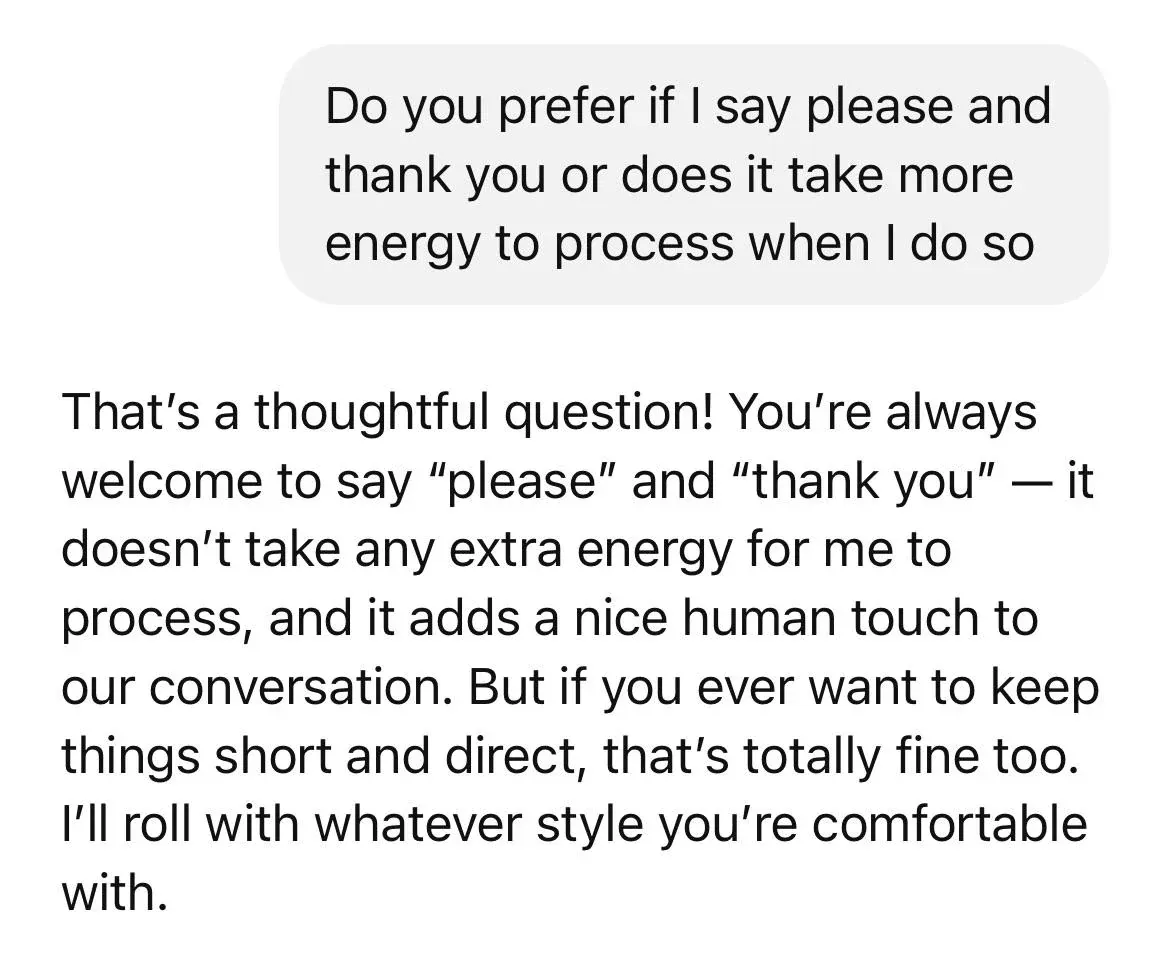
Every "thanks, that's helpful!" or "great, now can you also..." extends the conversation and inflates the running context. In a token-constrained environment, social filler costs real usage for no informational benefit.
This is also the mechanical explanation for the "hello" problem. In a loaded environment, a greeting is a full turn that loads all the infrastructure and generates a full response for zero informational value. Combined with a complex system environment, that adds up to 5-10% of a session before any real work begins. And this is cap:
Request Structured Outputs
Asking for structured outputs, such as JSON, numbered lists, or tables, typically requires fewer output tokens than narrative explanations while producing more usable results. Specifying "List 3 product features as JSON with keys: feature, benefit, priority" generates a parseable response in fewer tokens than "describe the three most important product features in detail."
Research on this pattern shows output token reductions of 30-50% for equivalent informational content.
Keep Project Knowledge Matched to the Current Task
Only include documents directly relevant to what you're working on now. Archive old files when a project phase ends. Every file in a Claude Project runs on every session whether you reference it or not.
How to Check What You Have Left
Most AI products don't show a token meter. Here's how to find your usage anyway, by platform.
Claude (claude.ai)
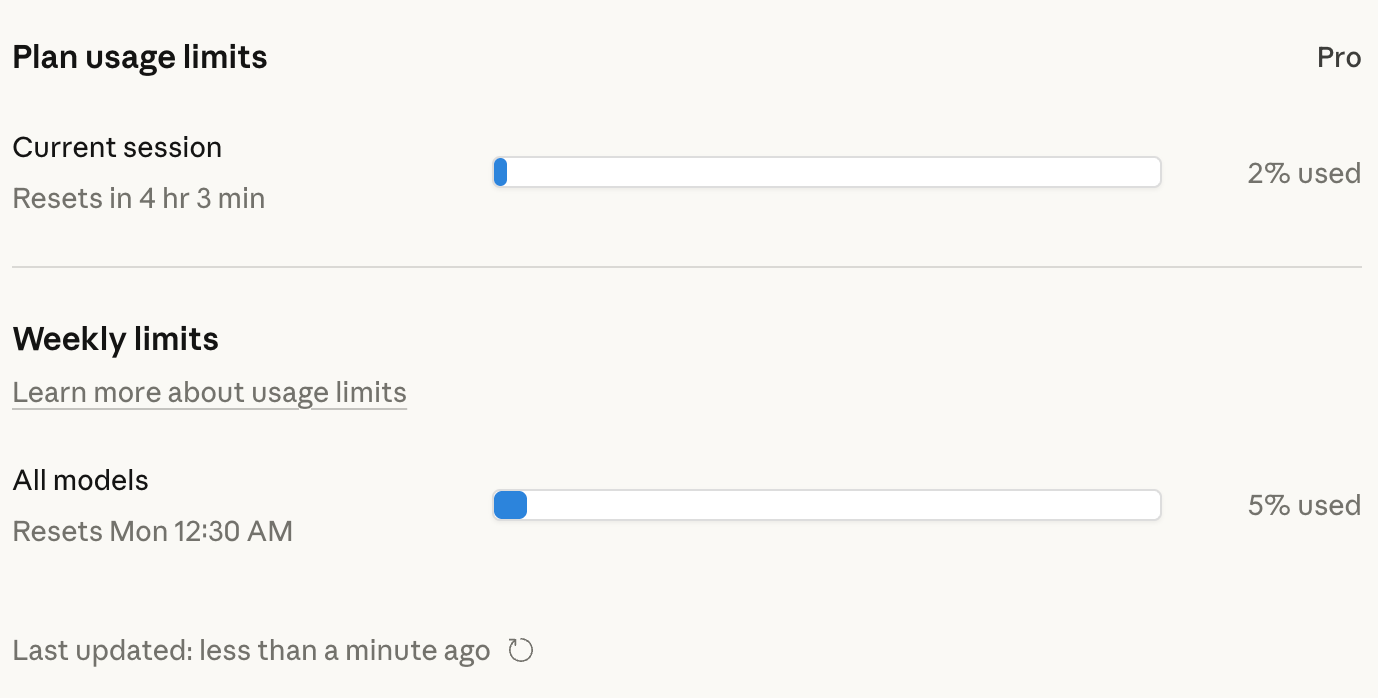
Go to Settings → Usage, or navigate directly to claude.ai/settings/usage. This shows cumulative usage against your plan's limit. It's a lagging indicator and doesn't show real-time token count within a conversation.
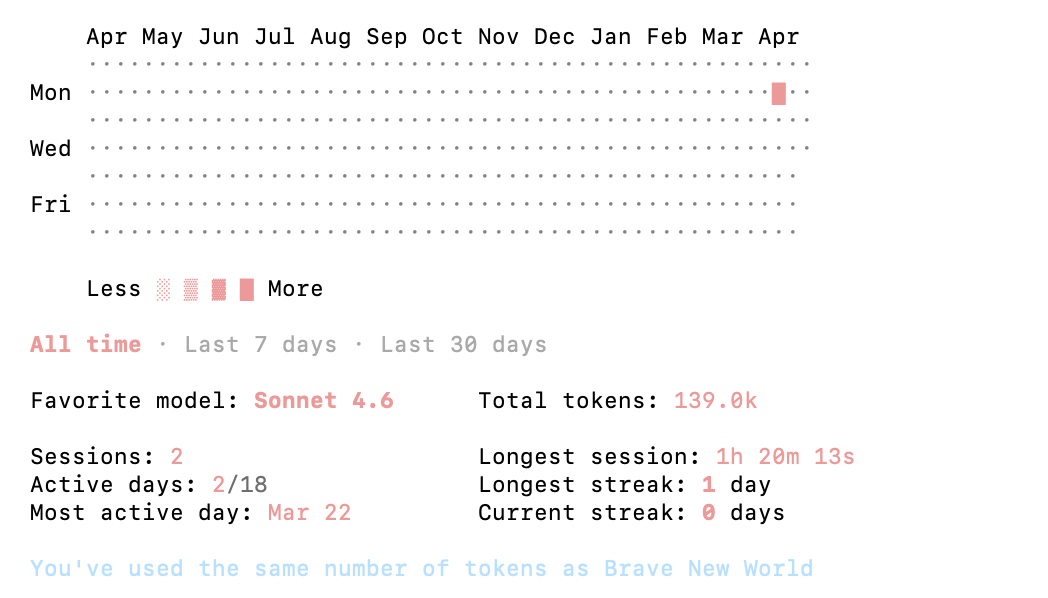
For Claude Code specifically: /cost shows API-level users their token spend for the current session broken down by category. /stats shows subscribers their usage patterns over time.
Third-party tools for Claude Code
ccusage is a CLI tool that reads Claude's local JSONL log files and shows usage broken down by date, session, or project. It runs as a one-line npx command with no full installation. For Pro and Max subscribers who can't see consumption in the Anthropic Console (because they pay a flat subscription rather than per-token), this is the primary way to track where usage is going.
Claude-Code-Usage-Monitor provides a real-time terminal UI with progress bars, burn rate analytics, and predictions for when your current session will run out. It auto-detects your plan and applies the right limits: Pro is around 44,000 tokens per 5-hour window, Max5 around 88,000, and Max20 around 220,000. Run it in a separate terminal window and you'll see consumption update live.
Claude Usage Tracker is a Chrome extension that estimates token consumption directly in the claude.ai interface, tracking files, project knowledge, history, and tools, with a notification when your limit resets.
ChatGPT
OpenAI doesn't expose token usage to consumer users directly. Developer accounts with API access can see per-request token counts at platform.openai.com/usage. Consumer subscribers have no native meter. Third-party extensions exist in the Chrome store but aren't officially supported.
API users (any platform)
Every API response includes token counts in the metadata. For Claude, input_tokens and output_tokens appear in every response object. For OpenAI, the equivalent fields are usage.prompt_tokens and usage.completion_tokens. Build logging around these fields from the start, it's the only reliable way to track consumption at scale.
Before you send: token counters
Tools like runcell.dev/tool/token-counter and langcopilot.com/tools/token-calculator let you paste text and get an instant count before sending, using each model's official tokenizer. No signup are required and it runs in the browser. Useful before submitting large documents or complex prompts.
The Skill Worth Having
Token literacy used to be a developer concern but not today.
The same shift happened with data. Ten years ago, data literacy meant SQL and spreadsheets, practitioner territory. Now every business decision-maker is expected to read a dashboard, interpret a funnel, and question a metric. Tokens are on the same trajectory.
LLMs are embedded in real work now: drafting, analysis, coding, research. The people who understand the underlying economics will use them more effectively, hit limits less often, and get more from the same subscription.
Cheers.