
In-house legal is the most over-requested, under-staffed function in any company above two hundred people. The CLOC 2025 State of the Industry report found that 83% of legal departments expect demand to grow year over year, while headcount stays flat. 25-40% percent of a lawyer's day goes to contract admin: formatting documents, routing approvals, tracking renewals, and chasing signatures through email threads.
On February 2, 2026, Anthropic released a legal plugin for Claude Cowork that put a dent in that problem. The announcement was significant enough that shares in Thomson Reuters fell roughly 16%, RELX dropped approximately 14%, and the Jefferies Group dubbed it the "SaaSpocalypse." The plugin is free, open source, and available today for any paid Claude plan.
This guide explains how the Claude legal plugin works for in-house legal teams, including contract review, compliance scanning, obligations monitoring, due diligence, and drafting from a legal playbook. It also covers how to install the plugin, configure your standards, and where human legal judgment still matters.
How to Install the Claude Legal Plugin
The legal plugin requires Claude Cowork, Anthropic's agentic desktop application, and a paid Claude subscription (Pro at $20/month or above).
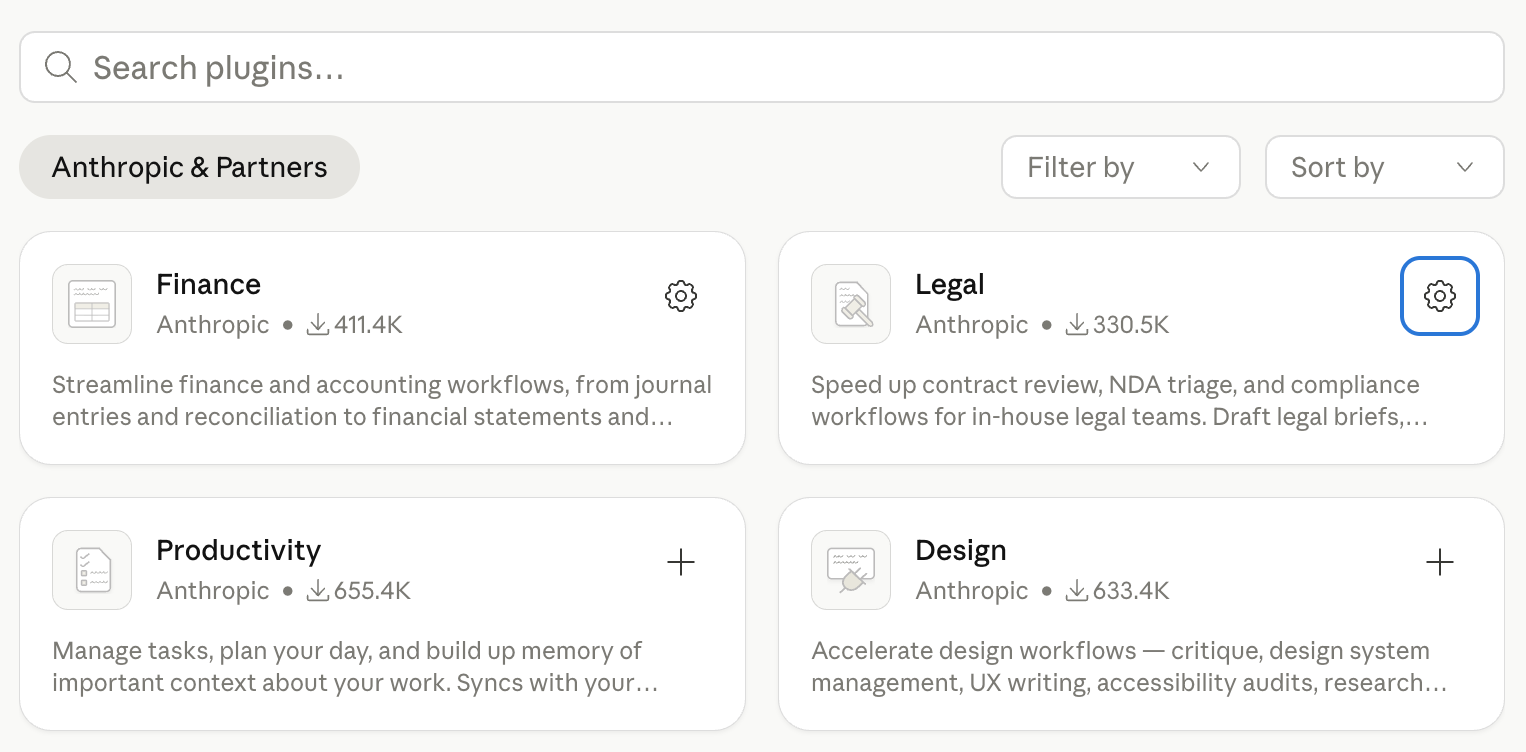
Open the Claude Desktop app, switch to the Cowork tab, click Plugins in the sidebar, find Legal, and click Install.
How to Configure a Legal Playbook in Claude
The plugin ships with generic U.S.-based positions by default. Its actual value comes after you customise it.
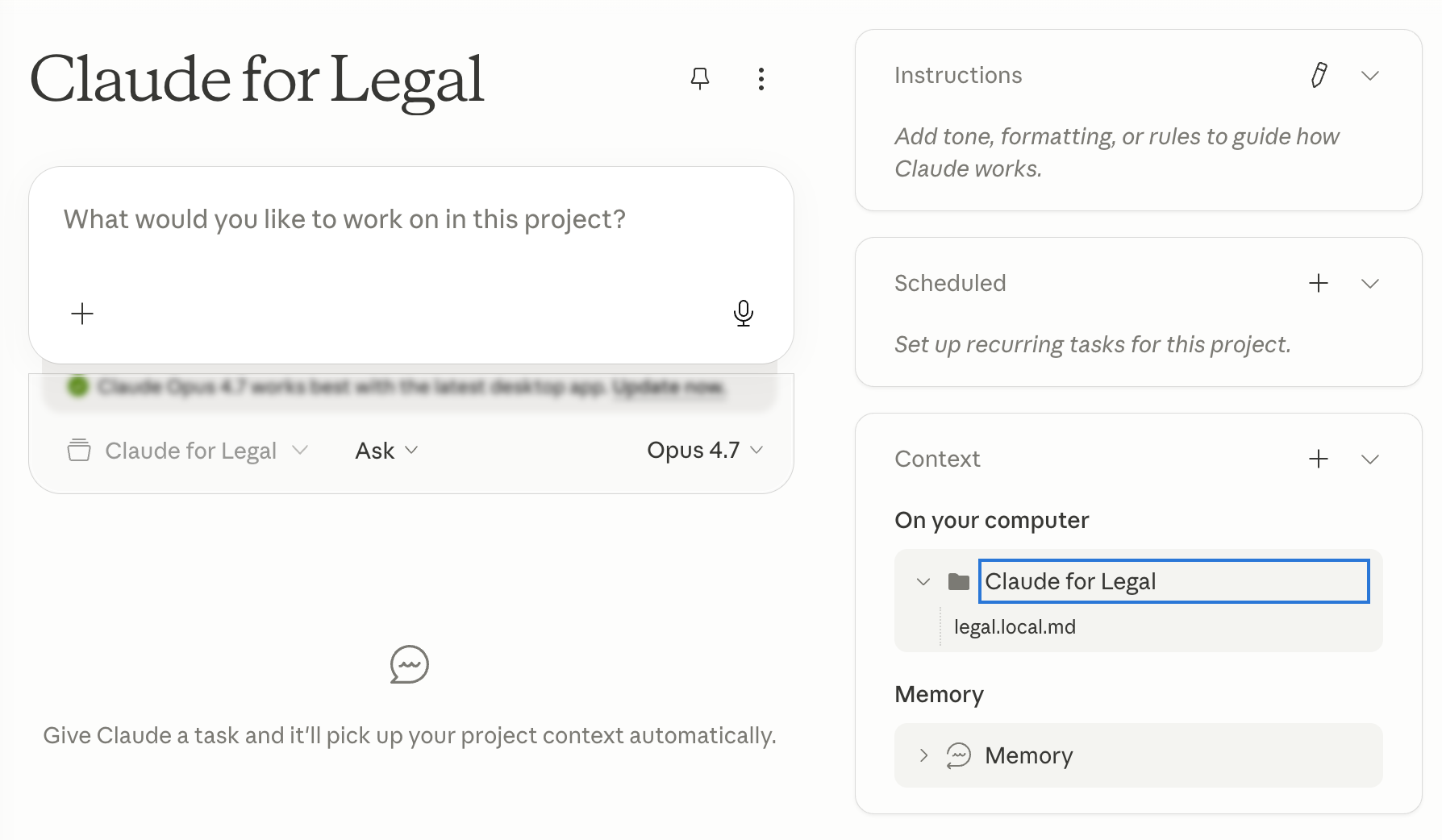
Create a file called legal.local.md in any folder you have shared with Cowork. This is the playbook Claude reads at the start of every session. It should contain your standard positions by clause type: preferred indemnification language, your limitation of liability cap and carve-outs, acceptable data processing terms, fallback positions for key clauses, auto-approval criteria for low-risk contracts, and escalation triggers. The more specific it is, the less Claude has to guess.
For a financial institution operating under DORA, include the Article 30 mandatory clause requirements. For any company with GDPR obligations, include your standard data processing agreement positions. If you operate under multiple jurisdictions, note the differences by region.
Once the playbook is in place, every plugin command runs against your standards rather than generic best practices.
Build your own agent for free (no-code)
Try here1.AI Vendor Contract Review With Claude
This is the most urgent use case on this list in 2026, and the one with the least existing infrastructure at most companies.
Every company is now signing agreements with AI vendors at a pace that in-house legal teams were not built for. OpenAI, Anthropic, GitHub Copilot, Harvey, Glean, Notion AI: these arrive on a Tuesday with a "can legal turn this by EOD" request attached. The business wants to move fast, but legal has never reviewed anything quite like them.
The reason they are harder than standard SaaS agreements: the IP and data terms are genuinely new territory. A typical SaaS contract is about access and availability. An AI vendor agreement is about what the model is allowed to do with your data, who owns what the model generates, and who is liable when the output is wrong. Does the vendor train on your inputs? Who owns the outputs Claude generates when your team uses it? What is the indemnification cap for AI-generated errors that end up in a client deliverable? What are the data residency terms? What happens to your data at termination?
These are not hypothetical. Colorado's Artificial Intelligence Act went into effect in February 2026. California's AI Transparency Act went into effect January 2026. The contractual landscape around AI tools is moving really fast and most companies are signing these agreements without a playbook.
What Claude does
Drop the vendor MSA and ToS into your Cowork workspace folder, then run:
/review-contract vendor-agreement.pdf
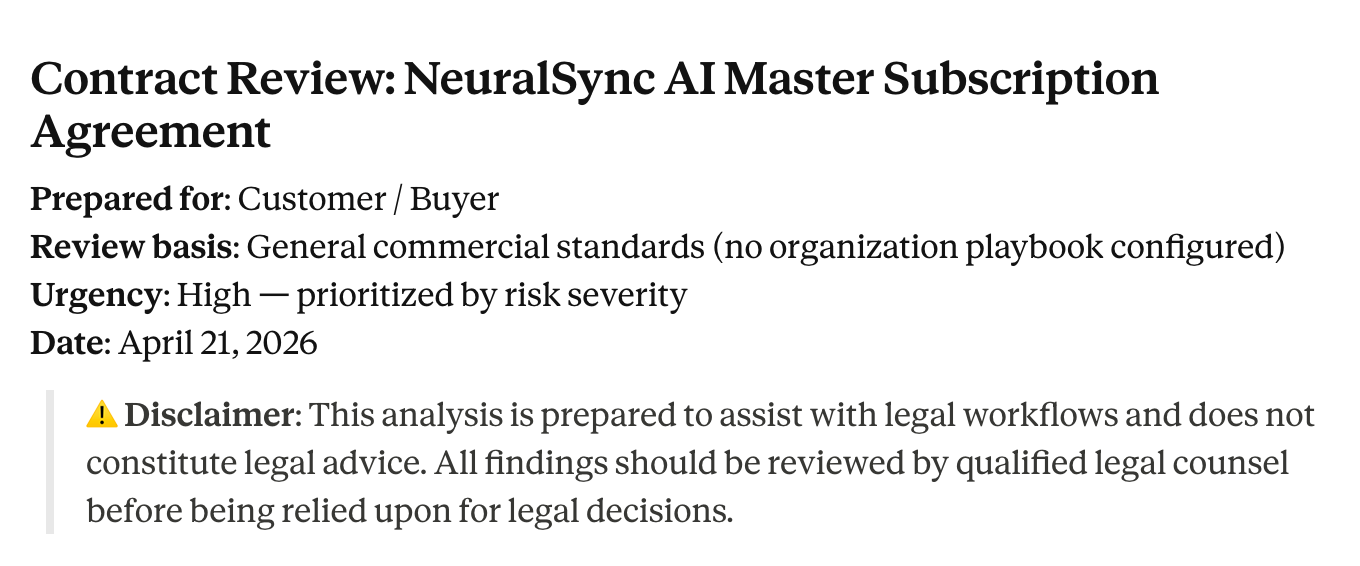
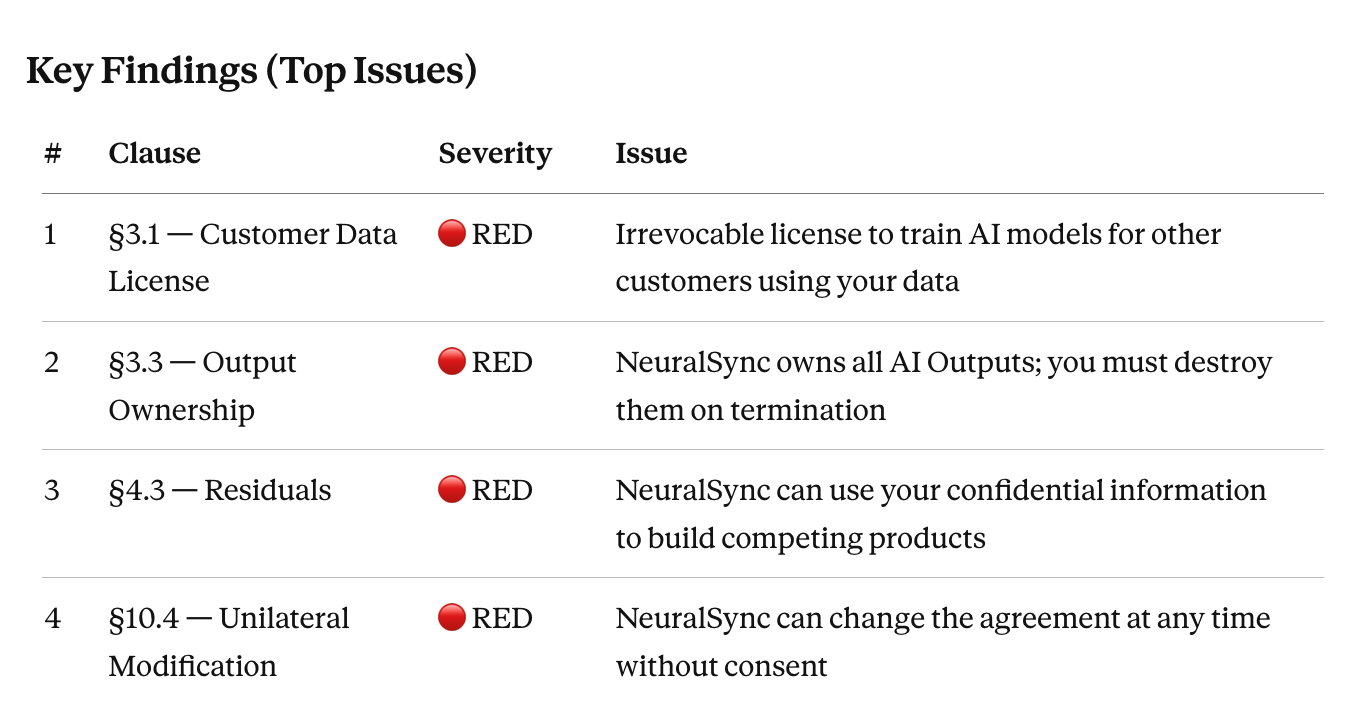
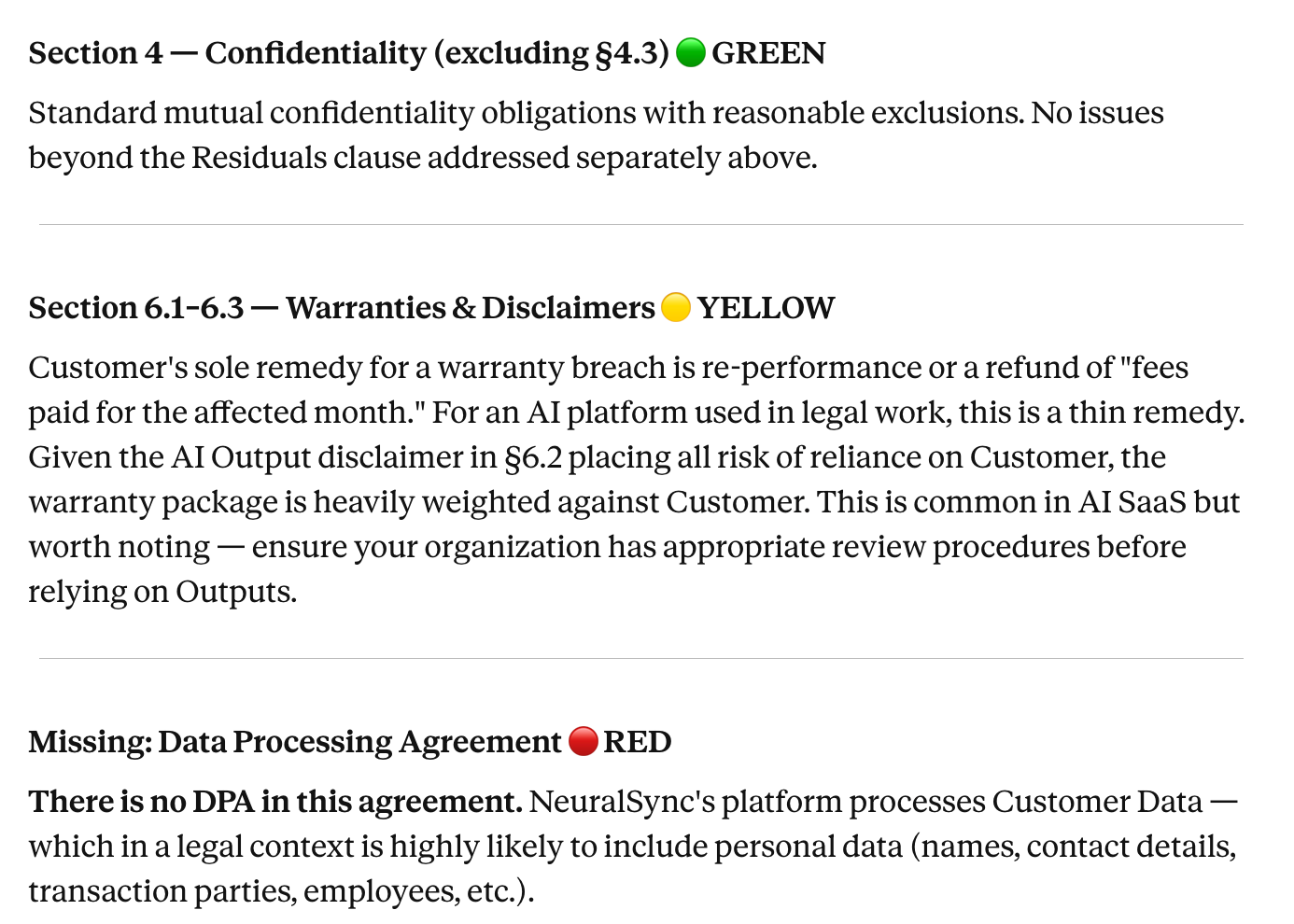
Claude reads the entire contract before flagging anything, because clauses interact. An uncapped indemnity might look alarming in isolation but is partially offset by a broad limitation of liability three sections later. The output uses a color-coded flag system for each clause: GREEN for clauses that align with your playbook, YELLOW for deviations from preferred terms worth negotiating, RED for clauses that pose significant risk and require resolution before signing.
For AI vendor agreements specifically, add context after the command:
/review-contract vendor-agreement.pdf
Focus especially on:
- Data training rights: can the vendor train models on our inputs or outputs?
- Output ownership: who owns content the model generates?
- Liability for hallucinations or errors in model output
- Data residency and retention at termination
- IP indemnification covering the vendor's training corpus
We are a financial services company operating under GDPR. Flag any provision that conflicts with our data processing requirements.
Claude produces a structured review with the exact contract language cited for each flag, the risk it creates, and suggested alternative language aligned to your playbook. An agreement that would take three hours to properly review takes thirty to forty-five minutes. Legal reads the output, makes the judgment call on which flags to push, and sends back a redline.
You can also cross-reference your current vendor relationship before the review:
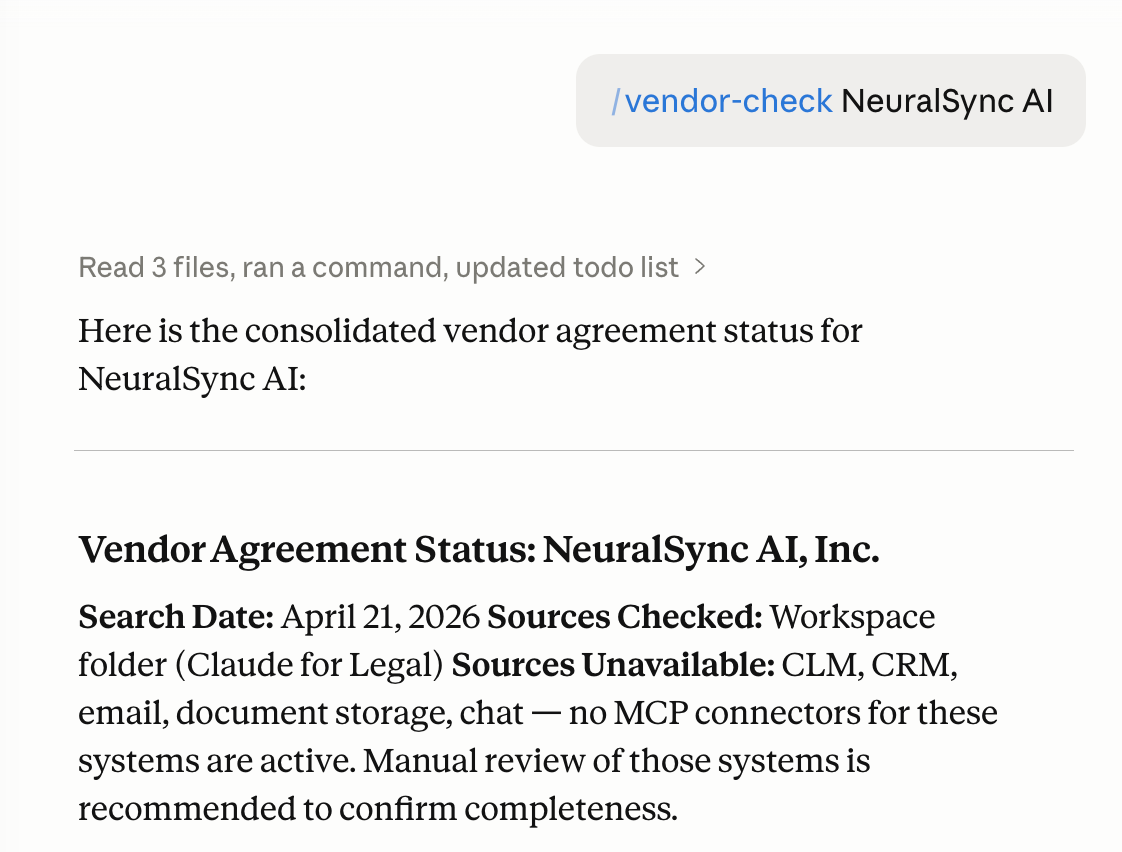
/vendor-check [Vendor Name]
This surfaces any existing agreements with that vendor, their current status, key obligations, and renewal dates before you review the new contract. Useful context when the new agreement amends or supersedes something already in your system.
Honest caveat
Claude flags what the contract says. It does not know your risk tolerance, your relationship with this vendor, or whether the business will accept the deal delays that come with negotiating every flagged term. That judgment is yours. If a flag requires knowledge of local law you are not certain about, get specialist advice before concluding it is acceptable.
Build your own agent for free (no-code)
Try here2.Regulatory Compliance Scanning for In-House Legal Teams
DORA went live on January 17, 2025. Article 30 requires all contracts between EU financial entities and ICT third-party service providers to include nine mandatory baseline clauses: a complete description of services, data location requirements, data protection provisions, access and recovery rights, full SLA descriptions for critical functions, incident reporting obligations, audit rights, termination rights with minimum notice periods, and exit strategy provisions.
So the problem becomes knowing which of your existing contracts satisfy those requirements. At a company with 200 vendor agreements, you can’t solve it by reading; you need to run a gap register.
The same challenge recurs every time a significant regulation is issued. DORA created an exercise. The EU AI Act's obligations for deployers of high-risk AI systems are phasing in through 2026 and will create another. US state AI laws are multiplying. This is now a permanent feature of the regulatory environment.
What Claude does
Share your contract library folder with Cowork. Then run:
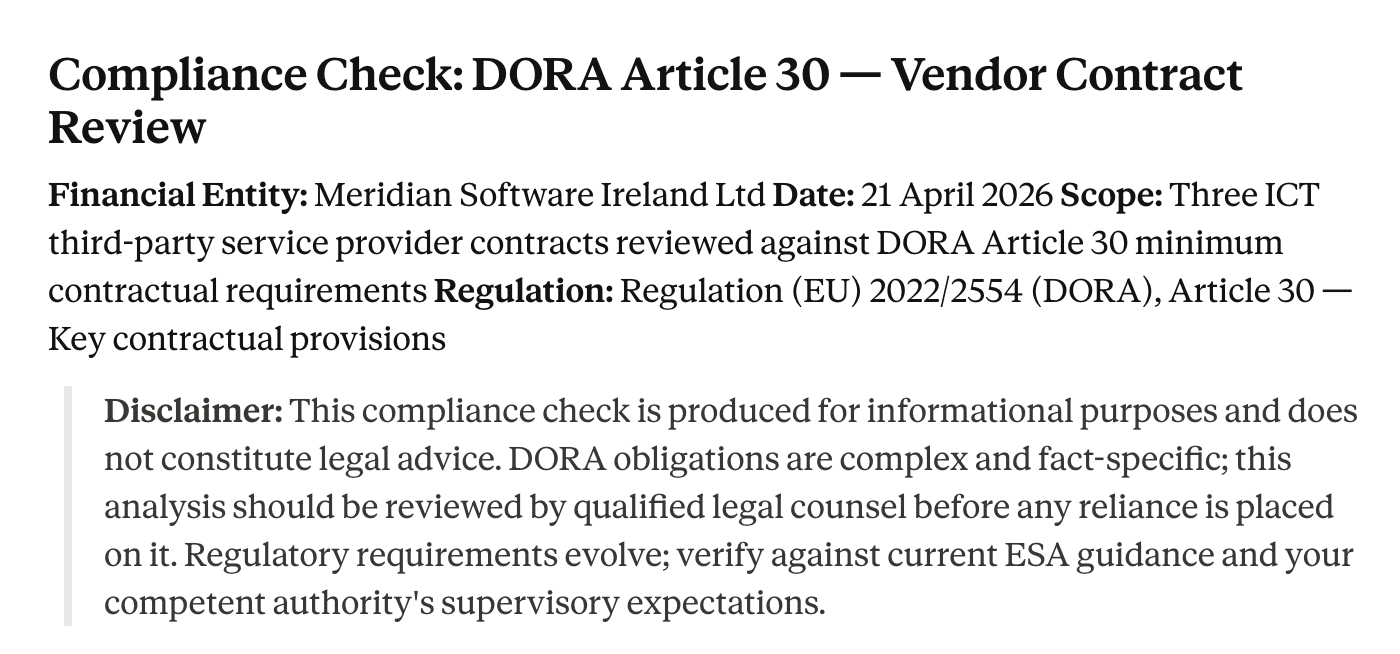
/compliance-check DORA Article 30 requirements across all contracts in /vendor-agreements/
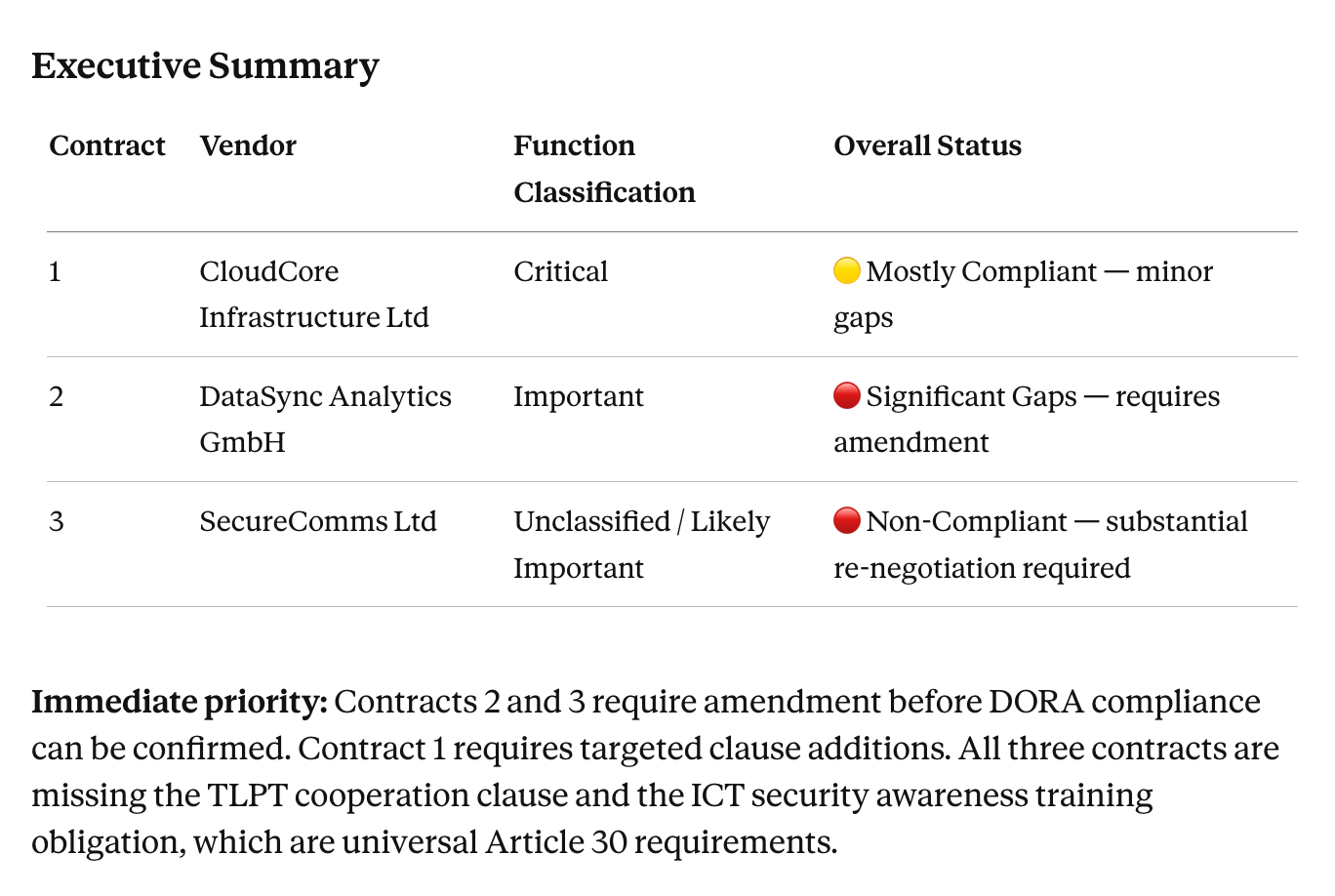
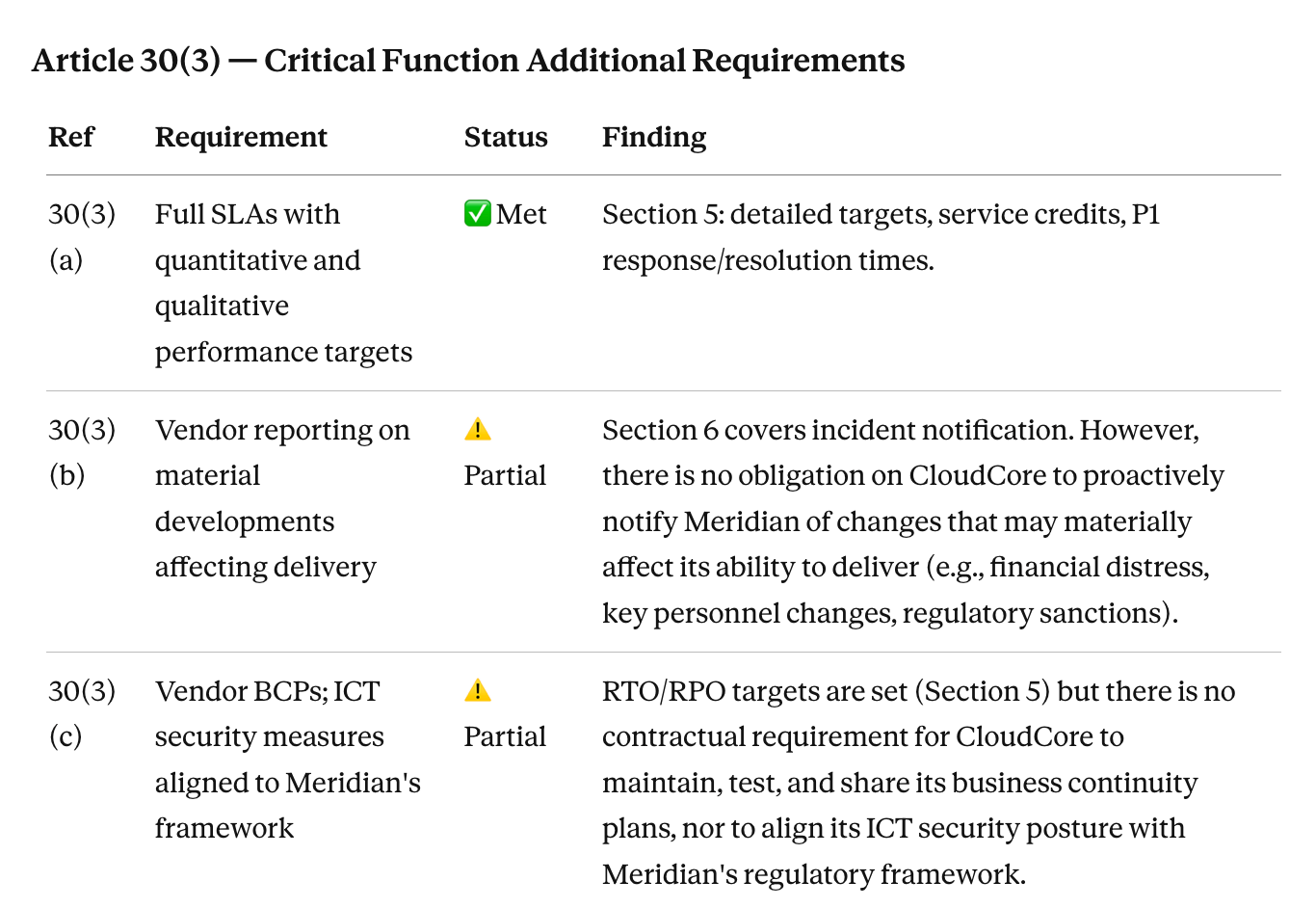
For each contract, Claude checks whether each of the nine Article 30(2) baseline clauses is present, partially present, or absent. For contracts supporting critical or important functions, it checks the additional Article 30(3) requirements: detailed SLAs, business continuity provisions, audit rights, and exit strategy terms. It flags contracts that are clearly compliant, those with gaps, and those where the provision exists but is materially insufficient (an audit rights clause limited to once per year with no notice, for example).
The output is a gap register: one row per contract, columns for each clause category, and a separate flagged section for contracts requiring urgent remediation. What would take a junior lawyer three weeks to produce manually takes a day.
For GDPR, the EU AI Act, CPRA, or any other framework, adjust the command:
/compliance-check EU AI Act deployer obligations across all data processing agreements
The structure is the same. Swap the regulatory framework in the command.
Honest caveat
Claude reads what the contract says. Regulators interpret borderline provisions in ways that are not always clear from the text, and some DORA regulatory technical standards are still being finalized. Use the gap register as triage: the contracts flagged as clearly compliant get documented, the contracts with gaps go to a lawyer for remediation decisions.
Build your own agent for free (no-code)
Try here3.Contract Obligations Monitoring With Claude
Contracts get signed and filed. The obligations inside them do not disappear.
SLAs your company must meet. Renewal notice windows that require 60 or 90 days' advance action. Change-of-control clauses that trigger on an acquisition. Audit rights that must be exercised within a window. Payment milestones tied to deliverables. All of these keep running on their own timeline while the signed contract sits in a shared drive folder somewhere.
The WorldCC has reported that organizations lose up to 9% of annual contract value through poor contract management. The most common version of that loss in practice: a SaaS vendor auto-renews a six-figure annual contract because nobody caught the 90-day notice window buried in clause 12.4. The business wanted to exit. Nobody was watching.
What Claude does
Run a standing brief that surfaces upcoming deadlines before they become problems:
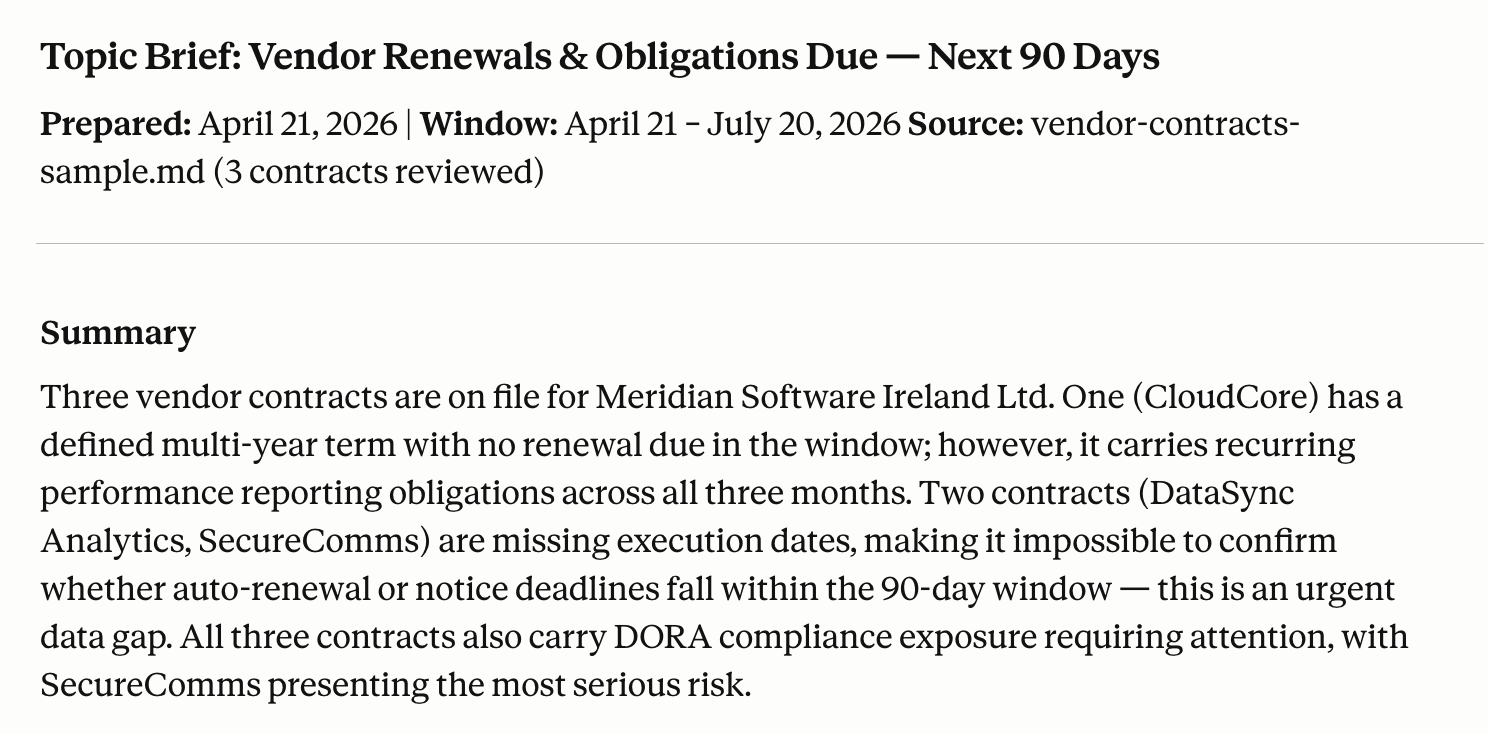
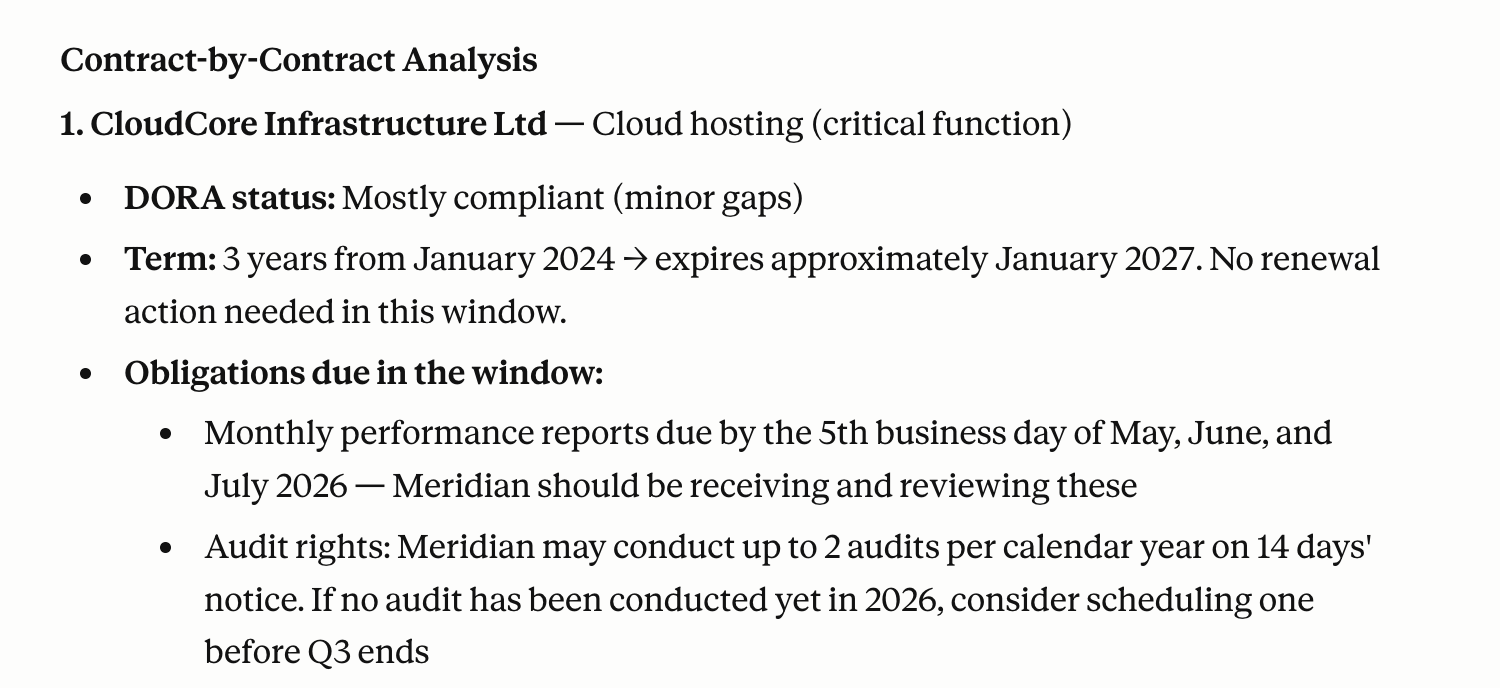
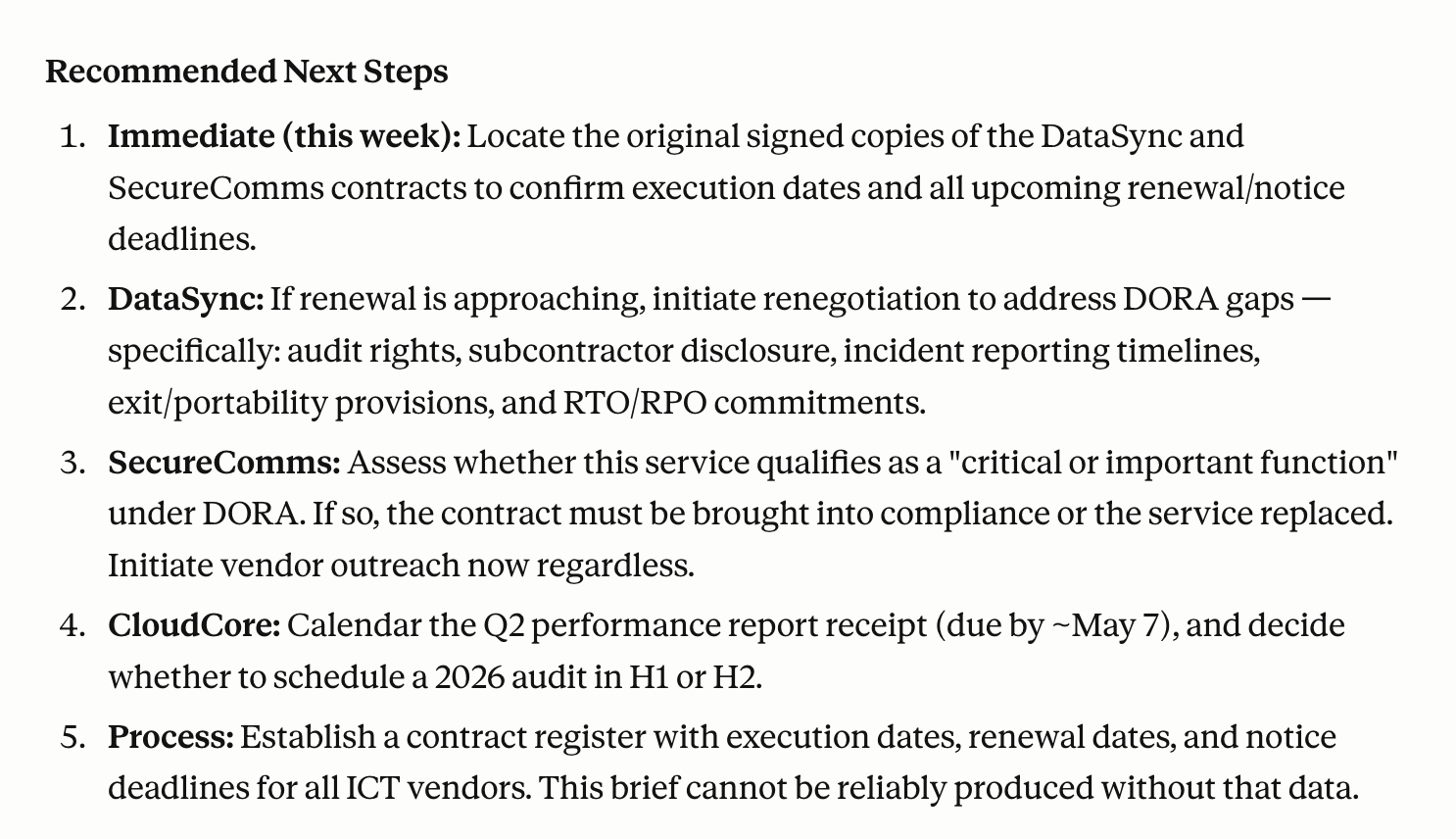
/brief vendor renewals and obligations due in the next 90 days
Claude scans your contract library and produces a structured report organized by urgency: contracts with renewal notice windows closing in the next 30, 60, and 90 days; outstanding SLA obligations; any change-of-control or assignment restrictions on active agreements; and audit rights with expiring windows. It flags which ones require action and what that action is.
For a specific vendor:
/vendor-check Acme Corp - full obligations summary
This surfaces the current agreement status, every obligation on both sides, renewal terms, auto-renewal flags, and any compliance requirements outstanding. One command replaces thirty minutes of hunting through a contract you have not read since it was signed.
Honest caveat
This workflow is only as useful as the contract library Claude has access to. Contracts stored in email threads, personal drives, or on paper are invisible to it. The brief is a reminder system, not a live monitoring platform. Someone still needs to own the action items it surfaces.
Build your own agent for free (no-code)
Try here4.M&A Due Diligence Using the Claude Legal Plugin
A typical mid-market M&A transaction involves reviewing upward of 10,000 document pages across a due diligence timeline of six to twelve weeks, according to data from multiple virtual data room providers. A 2024 Bayes Business School study found that average due diligence timelines increased 64% over the last decade, rising from 124 days in 2013 to 203 days in 2023, driven by growing regulatory demands, ESG scrutiny, and document volume.
The associates in the data room are mostly doing extraction work: read a contract, pull the key terms, note the risk, add it to the tracker, move to the next document. That process is what produces the input for the diligence memo. The diligence memo is where the judgment lives.
What Claude does
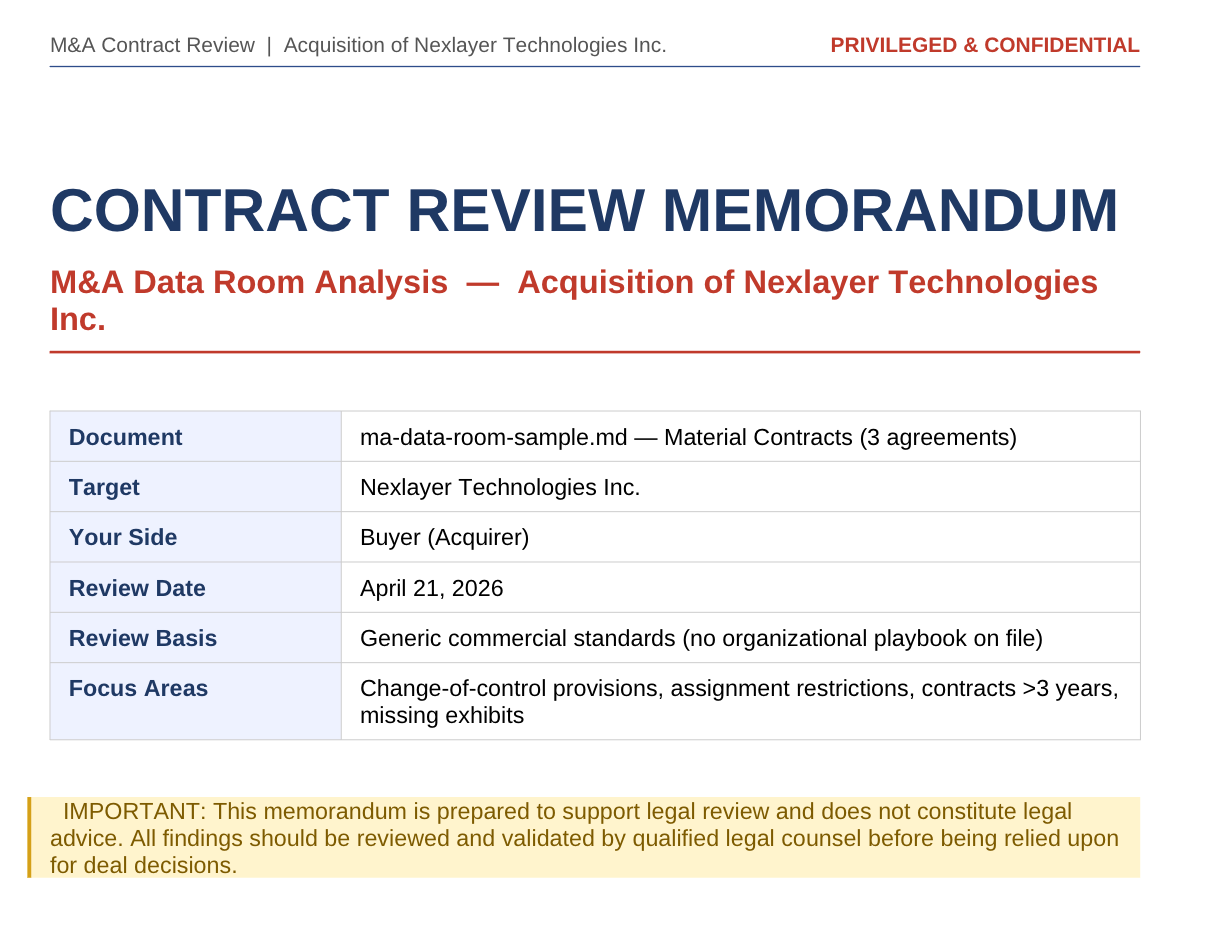
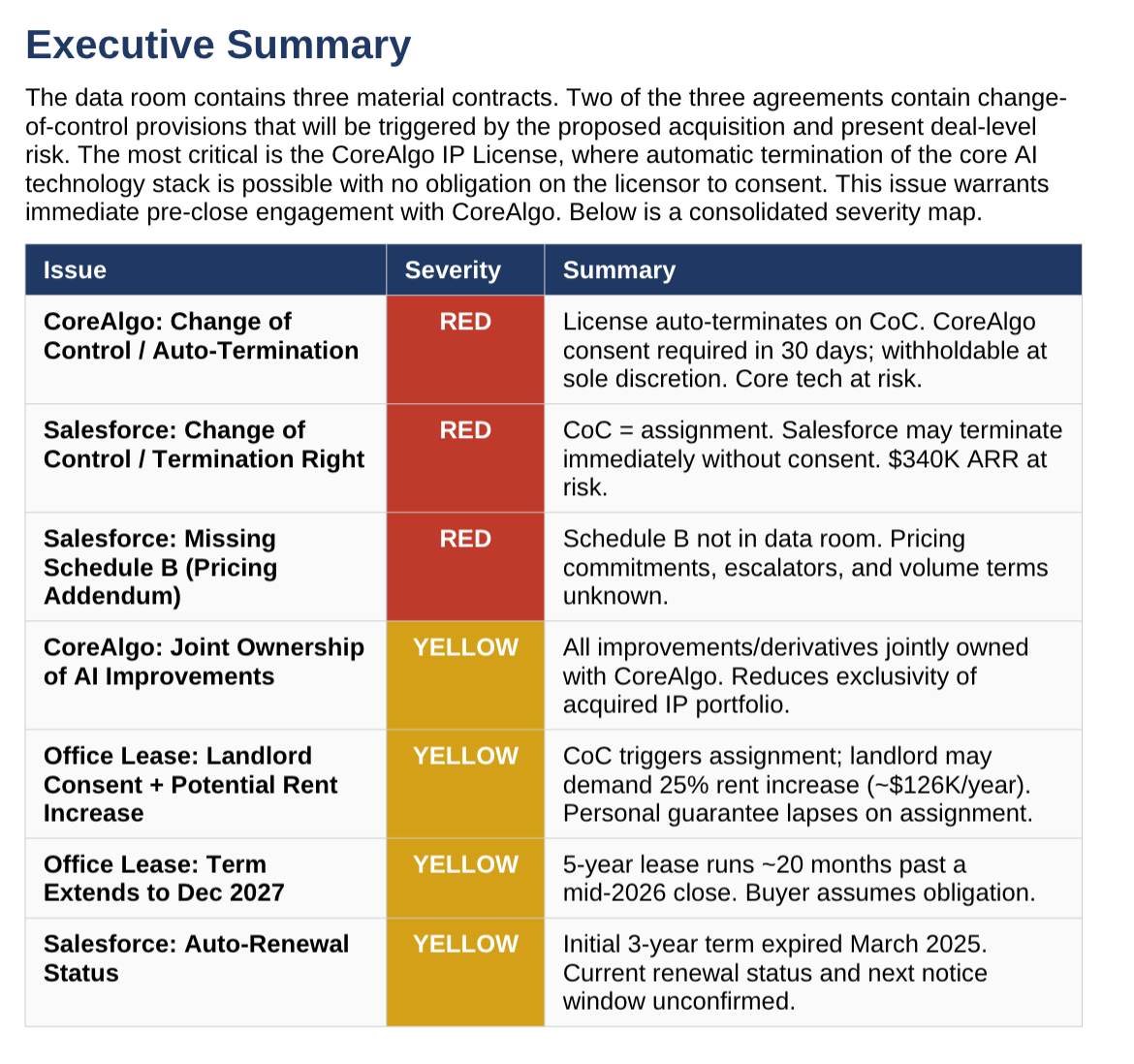
Organize data room documents by category in a shared Cowork folder. For each category, run:
/review-contract [folder: /data-room/material-contracts/]
We are the buyer in an acquisition. Flag all of the following:
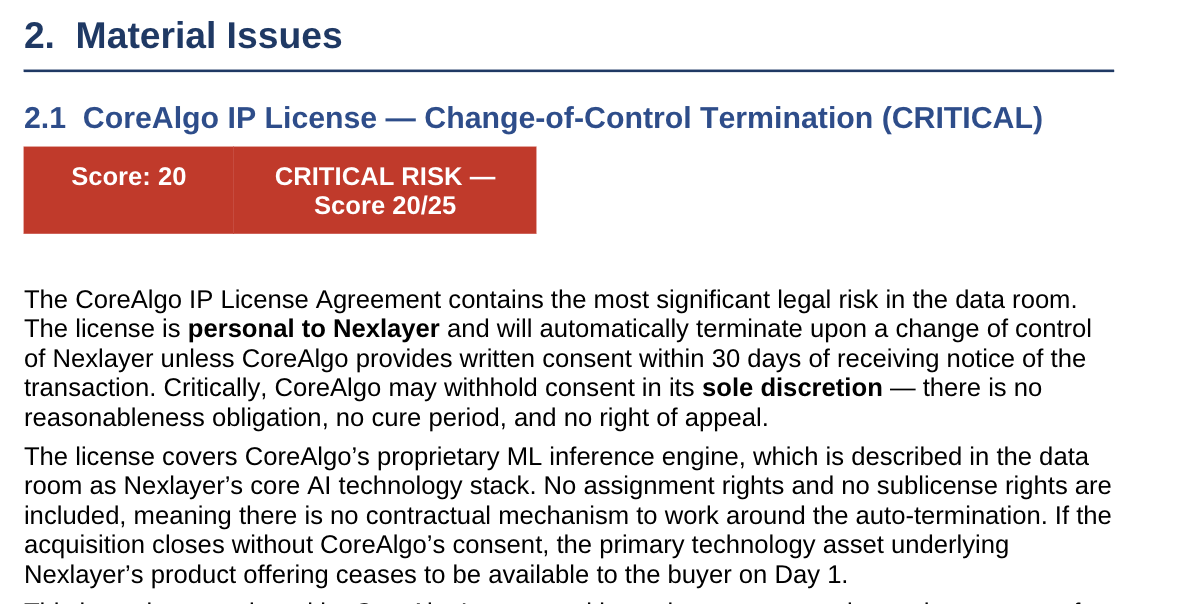
- Change-of-control provisions: does the clause require consent, allow termination, or have another effect on the transaction?
- Assignment restrictions
- Any contract with a term extending beyond 3 years from today
- Non-standard or unusual provisions
- Missing exhibits or schedules referenced but not included
For a broader risk picture across the data room:
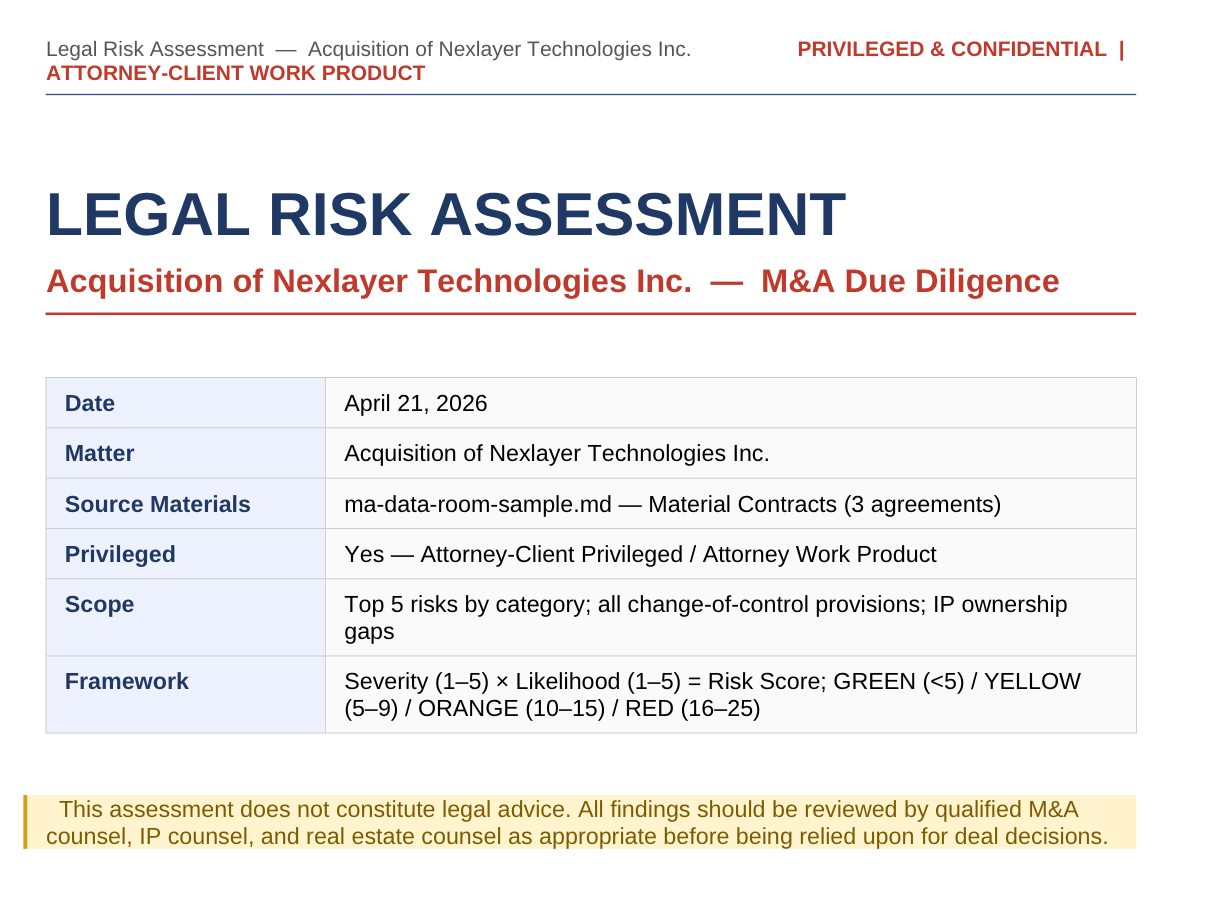
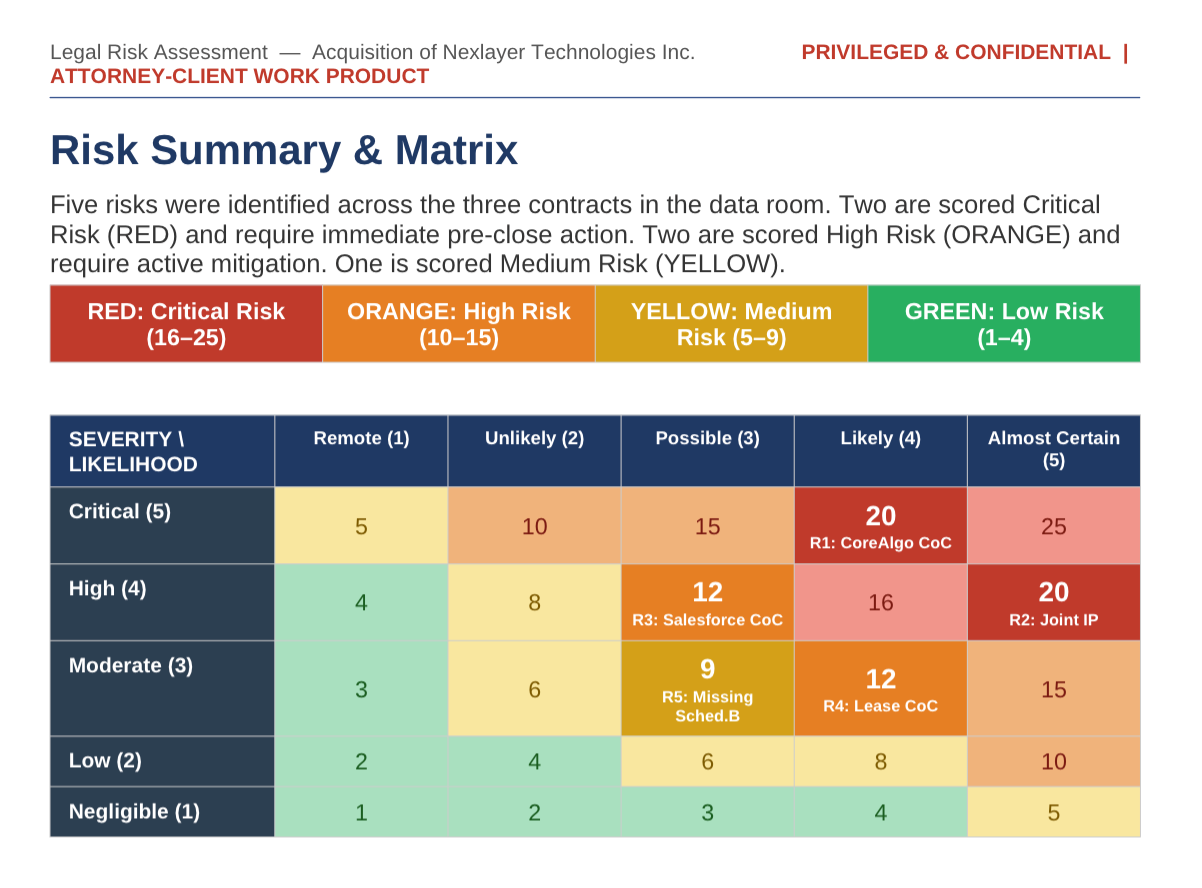
/legal-risk-assessment full data room review for acquisition of [Target Company]
Identify: top 5 legal risks by category, all change-of-control provisions across any contract, any litigation or regulatory matter disclosed, and any IP not clearly owned by the target company. Produce a summary table organized by risk level.
After category reviews are complete:
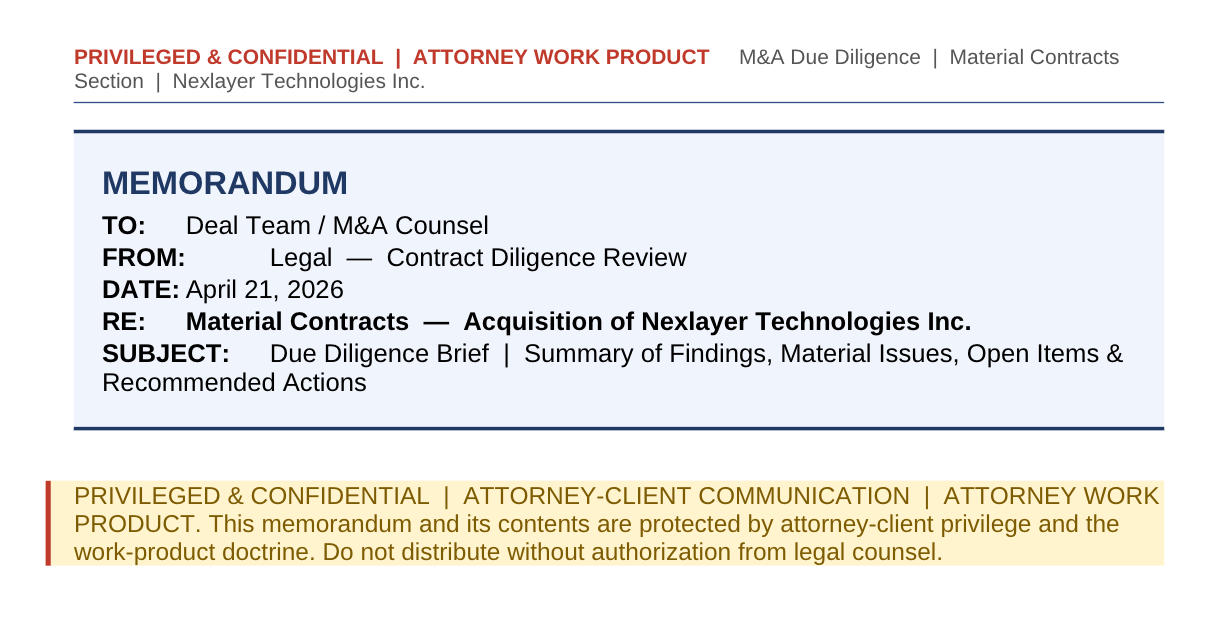
/brief M&A diligence memo - material contracts section
Based on the contract reviews completed, draft the material contracts section of the diligence memo. Structure: Summary of Findings, Material Issues, Open Items, and Recommended Actions. Flag any deal-critical issues that require a closing condition or negotiation.
Claude produces a well-organized first draft of each diligence memo section. The supervising lawyer reviews it for context Claude does not have (deal dynamics, industry norms, buyer's risk appetite), adds substance on anything requiring legal judgment, and finalizes. Extraction and structuring work that would take an associate two days takes a few hours.
Honest caveat
Claude does not know what is normal in your industry, what the buyer's strategic risk tolerance is, or whether a specific issue is deal-breaking given the deal context. It also cannot assess what is not in the data room, which is often where the real problems hide. Senior lawyer review before anything goes to the client is not optional.
Build your own agent for free (no-code)
Try here5.Contract Drafting From Your Legal Playbook
Drafting from scratch produces generic output. Every Harvey and Spellbook article leads with "AI can draft contracts" and the drafts look professional until you realize they do not reflect your indemnification cap, your standard limitation of liability carve-outs, or your data processing positions.
The workflow that actually works: drafting from your own standards.
Once your playbook is in your legal.local.md file, Claude knows your preferred positions. Tell it what deal you need to document:
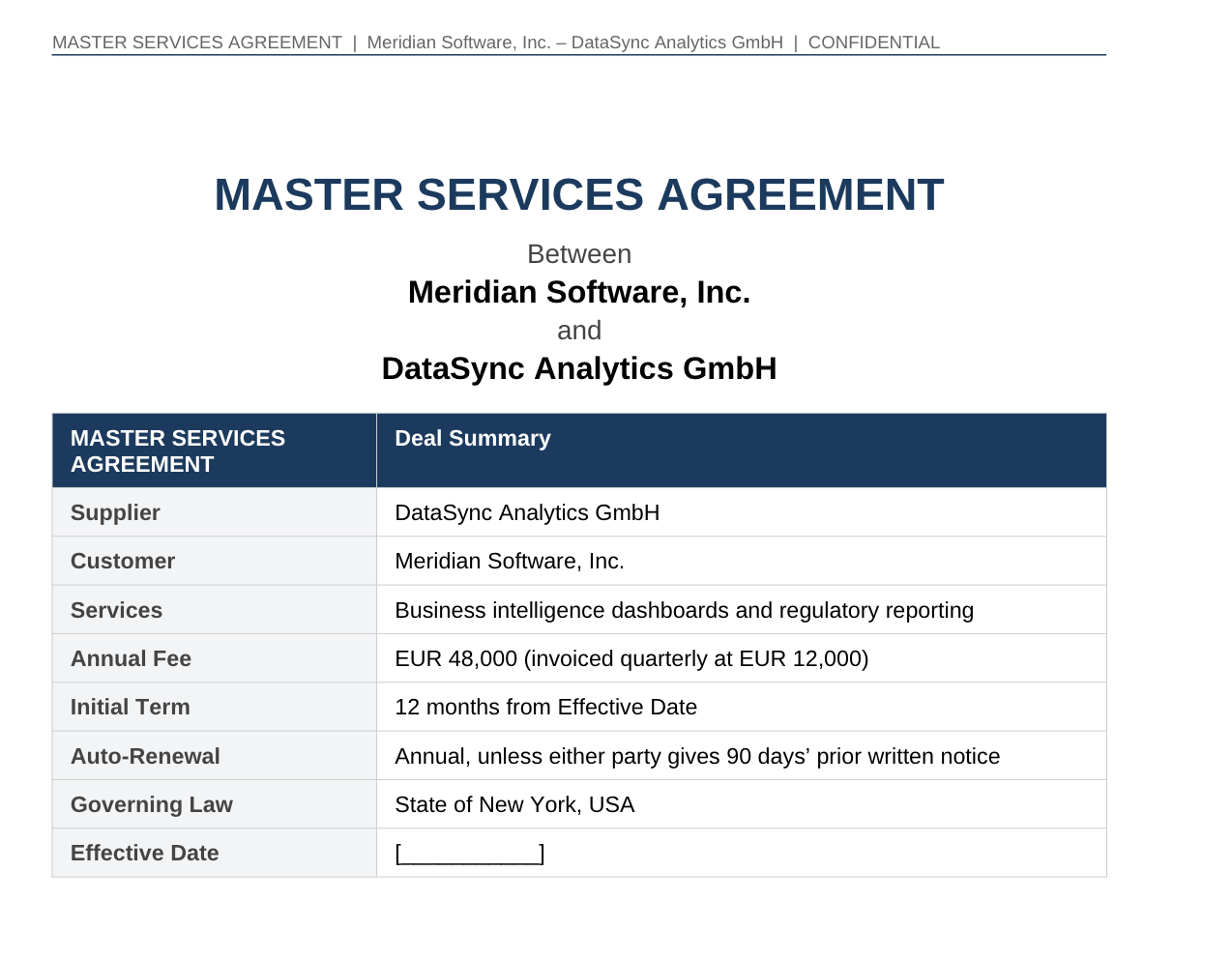
Draft a Master Services Agreement for the following:
Counterparty: [Vendor Name]
Services: [brief description]
Fees: [amount and structure]
Term: 12 months with automatic annual renewal
Governing law: New York
Non-standard positions agreed in negotiation: limitation of liability agreed at 24 months of fees instead of our standard 12 months
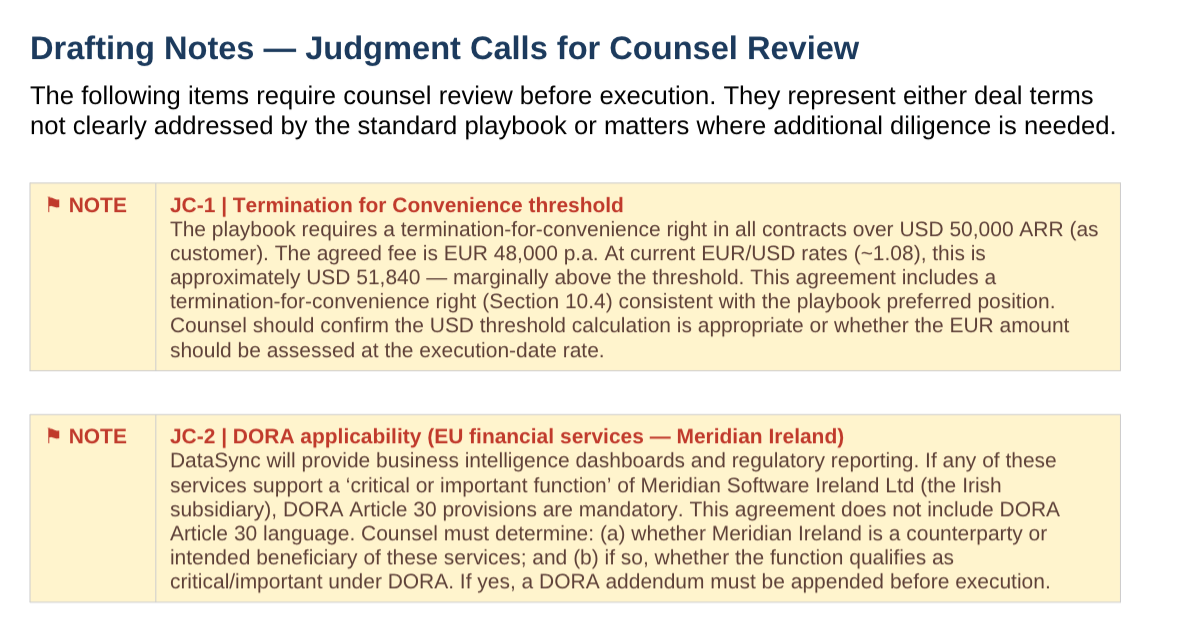
Use our playbook for all other positions. For any clause where the playbook specifies a fallback, use the preferred position unless I have indicated otherwise above. Flag any clause where the deal specifics require a judgment call the playbook does not clearly address.
Claude produces a first draft MSA reflecting your standard positions. You review the flagged clauses, make the calls Claude could not make from the playbook alone, and send the draft to the counterparty. A contract that would take two to three hours to draft takes thirty to forty-five minutes.
The same workflow applies to SOWs, amendments, and side letters. The principle is the same in each case: your language, your positions, Claude doing the assembly.
Honest caveat
The draft is only as good as the playbook. If your playbook is vague on a clause type, the draft will be vague on it too. When counterparty counsel sends back a marked-up agreement in an unusual jurisdiction raising a novel question and it is a legal analysis task, not a drafting one.
Build your own agent for free (no-code)
Try hereWhere In-House Legal Teams Should Start
Pick one workflow. Not all 5. One workflow, done well and refined over a few iterations, saves more time than five workflows run once and abandoned. The plugin learns your playbook better the more you use it. The first review calibrates against your standards, and the tenth one runs in half the time.
The ratio of judgment to paper has not changed in decades of in-house legal work. This is how you start changing it.
Cheers!


